
New client onboarding automation is the use of connected software tools to handle repetitive administrative tasks automatically the moment a new client is confirmed, replacing manual effort with trigger-based workflows that run without you. The industry term for this practice is automated onboarding, and it covers everything from sending welcome emails and distributing contracts to collecting intake data and scheduling kickoff meetings. Tools like Calendly, Zapier, DocuSign, and Notion are the building blocks most service businesses use to construct these workflows. Done well, automated onboarding can reduce manual workload by up to 80%, which means your team spends less time on administration and more time delivering the work clients actually pay for.
What is new client onboarding automation?
New client onboarding automation is the practice of connecting your booking, contract, communication, and project tools so that a single trigger event, such as a signed contract or a completed payment, sets off a chain of tasks without anyone on your team lifting a finger. The concept sits within the broader field of client onboarding process automation, which treats the entire journey from sale to project start as one unified, trigger-based system rather than a collection of separate manual steps. This distinction matters enormously. Businesses that treat onboarding as isolated tasks, sending a welcome email here, creating a folder there, consistently experience delays, missed steps, and a poor first impression.
The tools involved are not exotic. Calendly handles scheduling. Zapier connects applications and passes data between them. DocuSign manages electronic signatures. Notion or Google Drive stores client information and project assets. When these tools are linked correctly, a new client booking on your website can automatically trigger a contract, a welcome email, a client portal, and an internal Slack notification, all within seconds. A foundational workflow like this typically takes two to three hours to set up and then runs without manual intervention for every client that follows.
Which tasks are typically automated in the client onboarding process?
The tasks that benefit most from automation are the ones you repeat identically for every new client. These are also the tasks most likely to be forgotten, delayed, or inconsistently executed when done manually.
- Welcome emails: A personalised welcome message sent automatically the moment a client books or pays, setting the tone before you have spoken a single word.
- Questionnaires and intake forms: Tools like Typeform or JotForm can be triggered automatically, collecting the information you need without a follow-up chase.
- Contract generation and e-signatures: DocuSign and similar platforms generate contracts from templates and send them for signature without any manual document preparation.
- Client portal setup: Platforms like Notion, ClickUp, or a dedicated client portal tool can automatically create a shared workspace populated with the client's details.
- Kickoff meeting scheduling: Calendly links sent automatically after contract signature allow clients to book their own kickoff slot without back-and-forth emails.
- Internal notifications: Your team receives automatic alerts in Slack or via email when a client completes each step, keeping everyone informed without manual updates.
- Project setup: Tools like Asana or Monday.com can automatically create a new project, assign tasks, and set deadlines the moment onboarding is triggered.
Automated onboarding covers the full arc from booking to project activation, freeing your business to focus on relationships rather than logistics.
Pro Tip: Map every manual step you currently take for a new client before building any automation. If you cannot describe the step clearly, you cannot automate it reliably.

How does a typical automated onboarding workflow function?
An automated onboarding workflow follows a trigger-action-condition structure. A trigger is the event that starts the sequence. An action is the task that runs automatically in response. A condition is a rule that determines whether a specific action should fire, based on client behaviour or data. Understanding this structure is what separates businesses that build reliable workflows from those that end up with broken sequences and confused clients.
Here is how a typical workflow runs from start to finish:
- Trigger event: The client signs a contract in DocuSign or completes a payment via Stripe. This single event activates the entire sequence.
- Welcome email: Zapier detects the trigger and instructs your email platform, such as Mailchimp or ActiveCampaign, to send a personalised welcome email within seconds.
- Intake form delivery: A second action sends the client a link to your intake questionnaire via Typeform, with a conditional rule that pauses the next step until the form is submitted.
- Client portal creation: Once the form is submitted, Zapier creates a Notion or ClickUp workspace pre-populated with the client's name, service tier, and start date.
- Kickoff scheduling: A Calendly link is sent automatically, allowing the client to book their kickoff meeting without any manual coordination.
- Internal notification: Your team receives a Slack message confirming the client is fully onboarded and ready to begin.
- Project setup: Asana or Monday.com creates the project automatically, assigns team members, and sets the first milestone deadline.
A single trigger event like contract signing should activate the entire onboarding sequence, eliminating delays and ensuring consistency across every client. The critical detail most businesses miss is the conditional logic. Conditional gates in your workflow prevent the system from sending a kickoff link before the intake form is complete, which would create confusion and a poor client experience.
Pro Tip: Always test your workflow end-to-end using a dummy client account before going live. Run through every step yourself, including what happens if a client delays completing a form, to catch errors before a real client experiences them.
What are the primary benefits of onboarding automation for businesses and clients?
The benefits of onboarding automation extend well beyond saving time, though the time savings alone are significant. Automating client onboarding can save between 10 and 15 hours of administrative work per new client. For a business onboarding four new clients per month, that is up to 60 hours returned to productive work every single month.
"Client onboarding is the first indicator of a firm's operational maturity. Automation builds trust and accelerates project start, while manual onboarding signals inefficiency to the very clients you are trying to impress." — Moxo
The benefits break down across three areas:
- Consistency and professionalism: Every client receives the same high-quality experience regardless of who is working that day, what time it is, or how busy your team is. Manual processes introduce variation. Automation removes it.
- Reduced errors and missed steps: When a human manages onboarding manually, steps get skipped under pressure. Automated workflows execute every step in the correct order, every time.
- Scalable capacity: You can onboard twice as many clients without hiring additional administrative staff. The workflow scales with your business without proportional cost increases.
- Improved client retention: Automated onboarding reduces churn by delivering consistent, timely communication and guiding clients to their first meaningful success moment quickly. Clients who feel well-guided in the early stages are significantly more likely to stay.
- Faster project activation: When intake data, contracts, and scheduling are handled automatically, projects start sooner. Clients perceive this speed as competence.
The client-side benefit is often underestimated. A client who receives a professional welcome email, a clear intake form, and a scheduling link within minutes of signing feels confident they made the right choice. That confidence is the foundation of a strong working relationship.
What are best practices when implementing onboarding automation?
Building an effective automated onboarding system requires more than connecting a few tools. The businesses that get the most from automation treat it as a strategic operational decision, not a technical project.
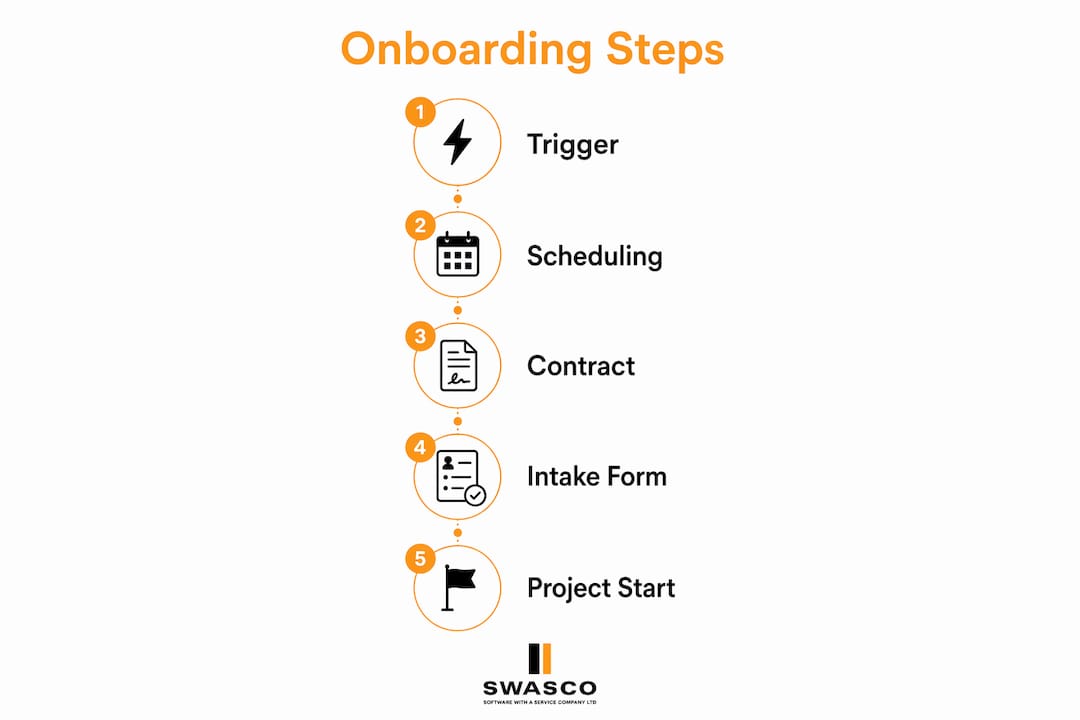
The most common failure point is treating onboarding as a set of disconnected tasks rather than a single unified workflow triggered by one core event and managed through a central system such as a CRM. When your CRM is the source of truth, every tool in your stack draws from the same client data, preventing duplication and errors.
Clean, structured client data is non-negotiable. Service-tier templates for folder structures, communication sequences, and task lists allow you to automate at scale without customising each client manually. If your data is inconsistent, your automation will be too.
The table below contrasts manual onboarding with an automated approach across the dimensions that matter most to service businesses:
| Dimension | Manual onboarding | Automated onboarding |
|---|---|---|
| Time per client | 10 to 15 hours of admin | Under 1 hour of oversight |
| Consistency | Varies by team member | Identical for every client |
| Scalability | Limited by staff capacity | Scales without added cost |
| Error rate | High under volume pressure | Near zero with tested workflows |
| Client experience | Dependent on individual effort | Professionally guided at every step |
One principle that separates good automation from great automation is preserving the human moments. Automate the logistics. Keep the relationship personal. Your kickoff call, your check-in messages, and your strategic advice should never be automated. Clients accept automated contracts. They do not accept automated empathy.
Key takeaways
Automated onboarding works because it replaces inconsistent manual effort with a single trigger-based workflow that delivers a professional, repeatable client experience at any volume.
| Point | Details |
|---|---|
| Define the trigger first | Every automated workflow must start from one core event, such as contract signing or payment received. |
| Automate logistics, not relationships | Use automation for admin tasks; keep kickoff calls, check-ins, and strategic advice personal. |
| Clean data enables scale | Service-tier templates and structured client data allow automation to run without manual customisation. |
| Test before going live | Run end-to-end tests with a dummy account to catch conditional logic errors before clients experience them. |
| Retention improves with speed | Faster first-success moments through automation directly reduce early client churn. |
Why onboarding automation signals something deeper about your business
I have worked with enough service businesses to say this with confidence: the quality of your onboarding process tells clients more about your business than your proposal ever will. A polished, automated onboarding sequence communicates that you are organised, that you respect the client's time, and that you have done this before. A slow, manual, inconsistent process communicates the opposite, regardless of how good your actual service is.
What surprises most business owners is how quickly clients form their opinion. The 48 hours after signing are the most emotionally charged period of any client relationship. Clients are excited but also anxious. They want confirmation that they made the right decision. An automated welcome email, a clear intake form, and a scheduling link arriving within minutes of signing provides that confirmation without you needing to be at your desk.
The misconception I encounter most often is that automation removes the human touch. It does not. It removes the friction that prevents the human touch from happening. When your team is not spending hours on administrative tasks, they have more time for the conversations, the creative work, and the strategic thinking that actually builds client loyalty. Automation handles the client retention foundation so your people can focus on the relationship built on top of it.
The future of onboarding automation is moving towards conversational AI that handles not just task execution but real-time client communication, answering questions, qualifying needs, and booking meetings without human intervention. Businesses that build strong automated onboarding foundations now will be best positioned to adopt these capabilities as they mature.
— James Paul
How Talk2Aiva helps you automate client onboarding from day one
If you are ready to stop losing time and revenue to manual onboarding processes, Talk2Aiva by SWASCO is built for exactly this. Talk2Aiva is a fully guided AI receptionist and revenue recovery system that engages, qualifies, and books new clients automatically across calls, text, website chat, and social media, 24 hours a day.
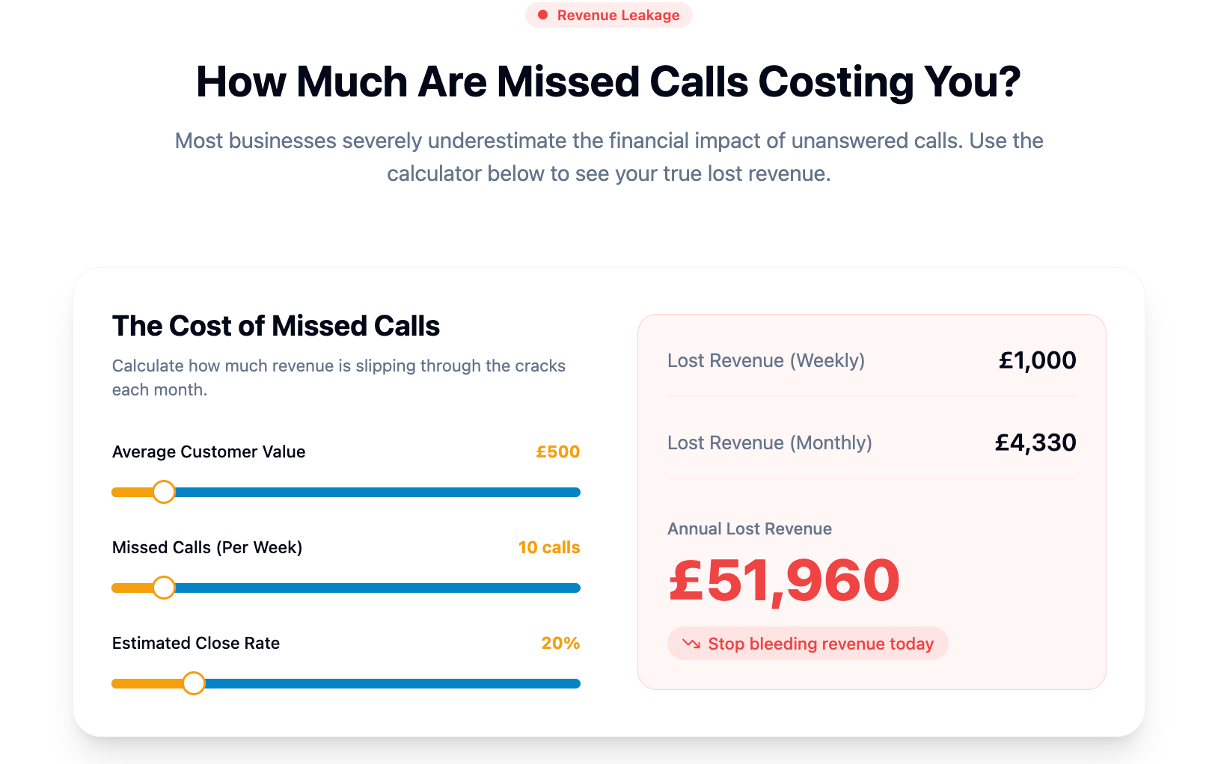
From the moment a lead makes contact, Talk2Aiva captures their details, qualifies their needs, and triggers your onboarding workflow without anyone on your team needing to act. Setup, AI training, workflow building, and ongoing technical support are all included. You focus on delivering your service. Talk2Aiva handles the rest. Explore the full sales and marketing automation platform and see how it fits your business operations today.
FAQ
What is automated client onboarding?
Automated client onboarding is the use of connected software tools to handle repetitive tasks such as welcome emails, contracts, intake forms, and scheduling automatically, triggered by a single event like a signed agreement or completed payment.
How much time can onboarding automation save?
Onboarding automation saves between 10 and 15 hours of administrative work per new client, depending on service complexity. For businesses onboarding multiple clients per month, this represents a significant return of productive capacity.
Which tools are commonly used to automate client onboarding?
The most widely used tools include Calendly for scheduling, Zapier for connecting applications, DocuSign for electronic signatures, and Notion or ClickUp for client portals. These tools are connected via automation platforms to create a single, trigger-based workflow.
Does automation make onboarding feel impersonal?
No. Automation handles logistics such as contracts, forms, and scheduling, while your team retains full control of relationship-building moments like kickoff calls and strategic conversations. Clients receive faster, more consistent communication, which increases confidence rather than reducing it.
How long does it take to set up an automated onboarding workflow?
A foundational automated workflow typically takes two to three hours to build and test. Once live, it runs without manual intervention for every subsequent client, making the initial investment highly efficient.