

If you are still processing rental applications by hand, you are losing time, money, and good tenants to faster landlords. The pressure to automate rental application screening has never been greater. Screening-to-lease cycles drop from 7.3 days manually to just 1.8 days with automation. That is not a marginal gain. It is a fundamental shift in how competitive your property management operation can be. This guide walks you through exactly how to set up, run, and protect an automated screening workflow that saves hours, reduces errors, and keeps you on the right side of the law.
Table of Contents
- Key takeaways
- Getting ready to automate rental application screening
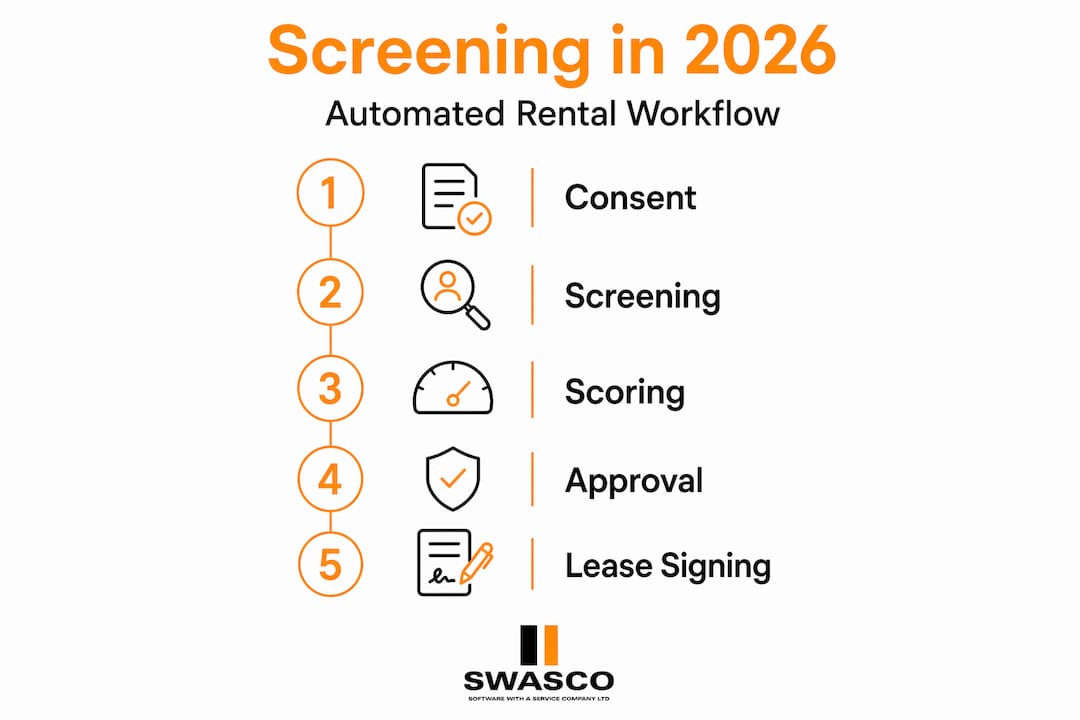
- The step-by-step automated screening workflow
- Legal compliance in automated screening
- Verification, exceptions, and closing the lease
- My honest take on automating tenant screening
- How Swasco can support your property management workflows
- FAQ
Key takeaways
| Point | Details |
|---|---|
| Automation cuts cycle time dramatically | Screening-to-lease time drops from over 7 days to under 2 days when workflows are properly configured. |
| Preparation determines success | Standardised digital forms and pre-collected consents are the foundation of any effective automated system. |
| Compliance must be built in | Fair Housing Act and FCRA obligations apply to automated decisions, not just manual ones. |
| Human review remains non-negotiable | Exception workflows and human oversight prevent wrongful denials and reduce discrimination risk. |
| Speed improves tenant satisfaction | Fast, automated communications create a professional impression that lifts lease renewal rates. |
Getting ready to automate rental application screening
Before you configure a single automated trigger, you need the right foundations in place. Rushing into rental application software without proper preparation is the most common reason implementations fail or create legal exposure.
Start with your application form. Your digital rental application needs to be standardised across every property you manage. That means consistent data fields, clear instructions, and no ambiguity about what information is required. When data comes in inconsistently, your automation logic breaks down immediately.
Here is what your digital application form must collect to support full screening process automation:
- Full legal name, date of birth, and government-issued ID details
- Current and previous addresses for the past three to five years
- Employment details including employer name, contact, and length of service
- Gross monthly income with permission to verify
- Explicit written consent for credit, criminal, and eviction report checks
- Previous landlord contact details for reference verification
- Signature confirming accuracy and authorising third-party data access
The consent element is not optional. Without documented, applicant-signed consent, you cannot legally pull consumer reports under the Fair Credit Reporting Act. Build consent collection directly into your digital form so it is captured at submission, not chased afterwards.
Choosing your rental application software is the next decision. The table below compares the key features to look for when evaluating platforms:
| Feature | Why it matters |
|---|---|
| API integration with your property management system | Reduces data entry errors and speeds screening initiation |
| Automated credit, criminal, and eviction report pulls | Eliminates manual ordering and delays |
| Configurable scoring thresholds | Lets you set clear pass, review, and decline criteria |
| Built-in adverse action notice generation | Keeps you FCRA-compliant without extra admin |
| Exception and conditional approval workflows | Handles co-signers, waitlists, and edge cases automatically |
Pro Tip: Configure your form fields to collect only what you actually use in your scoring model. Every unnecessary field increases drop-off rates and reduces the quality of your applicant pool.
The step-by-step automated screening workflow
Once your forms and software are in place, you can build the actual workflow. This is where rental vetting automation pays off most visibly.
-
Applicant submits the digital form. The moment a completed application lands, your system timestamps it and triggers the next steps automatically. No one needs to manually review a submission to kick off screening.
-
Consent verification fires instantly. The system checks that all required consents are present and valid. If anything is missing, an automated message goes to the applicant requesting the outstanding items. This alone eliminates hours of back-and-forth.
-
Background checks are ordered automatically. Screening initiation time drops from 18 hours to under 2 minutes when triggers are configured post-consent. Credit, criminal, and eviction checks are ordered simultaneously, not sequentially.
-
Reports return and are scored against your thresholds. Credit and criminal reports typically return within 30 minutes. Your system applies your pre-set scoring rules and categorises the applicant as approved, declined, or flagged for review.
-
Income and employment verification runs in parallel. This stage takes longer. Expect 24 to 48 hours for full verification. Configure your system to send automated requests to employers and ask for digital pay stubs or bank statements where possible.
-
Landlord references are requested digitally. Digital reference forms triple response speed and reduce staff time compared to manual phone calls. Send automated requests with a deadline and a follow-up reminder at 24 hours.
-
Automated decision communications go out. Once all data is collected and scored, your system sends the appropriate communication template: approval with next steps, a request for additional information, or a decline with the required adverse action notice.
The comparison below shows the difference between a manual and automated workflow at each stage:
| Stage | Manual process | Automated process |
|---|---|---|
| Background check initiation | Up to 18 hours | Under 2 minutes |
| Report return time | 1 to 3 days | 30 minutes for most checks |
| Reference verification | 3 to 5 days via phone | 1 to 2 days via digital forms |
| Decision communication | Same day if remembered | Instant on decision trigger |
| Total cycle time | 7.3 days average | 1.8 days average |
Pro Tip: Set your scoring thresholds conservatively at first, then review declined applications monthly for the first three months. This helps you spot whether your rules are too strict or producing unintended patterns before they become a compliance problem.
Legal compliance in automated screening
Automation does not exempt you from fair housing law. It actually creates new risks if you are not careful. AI-driven screening systems can produce discriminatory outcomes, matching errors, and wrongful denials, even when no discrimination was intended.
The key compliance areas to address are:
- Fair Housing Act disparate impact. HUD's disparate-impact framework means that even neutral automated rules can be unlawful if they disproportionately affect protected classes without a legitimate justification. Review your scoring criteria with a legal adviser before going live.
- Criminal history screening. HUD guidance precludes blanket criminal history denials and discourages using arrests without convictions in screening decisions. Your automated criminal screening must distinguish between arrests and convictions, and factor in recency and relevance.
- FCRA adverse action notices. When denying or changing lease terms based on consumer reports, you must send an adverse action notice that includes the applicant's dispute rights and the contact details of the reporting agency. Automate this notice as part of your decline workflow, not as an afterthought.
- Consistent application of criteria. Automated scoring criteria significantly reduce discrimination complaints precisely because they apply the same rules to every applicant. Document your criteria and keep records of every decision.
The biggest compliance risk in automated screening is not the data you collect. It is the decision logic you apply to that data. Build your rules carefully, document them thoroughly, and review them regularly.
Pro Tip: Include a human review step for any application that scores within 10 points of your decline threshold. This catches edge cases where the automation may be missing context that a person would recognise immediately.
Verification, exceptions, and closing the lease
Getting through background checks quickly is satisfying. Getting to a signed lease is the actual goal. This section covers the final stages where many automated workflows stall.
Handling verification delays. Employment and income verification is the most common bottleneck in any automated lease application process. Speed this up by:
- Requesting digital payslips or bank statements directly in the application form
- Using automated income verification tools that connect to payroll platforms
- Setting a 48-hour response deadline on employer verification requests, with an automatic follow-up at 24 hours
- Offering applicants the option to upload documents directly rather than waiting for employer responses
Managing conditional approvals and exceptions. Not every application will be a clean approve or decline. Exception handling logic within your automated screening keeps complex scenarios moving without manual delays. Configure your system to handle:
- Co-signers or guarantors when income thresholds are not met independently
- Conditional approvals pending additional documentation
- Waitlist placement when a property is not yet available
- Escalation to a human reviewer for genuinely ambiguous cases
Pro Tip: When configuring your waitlist automation, set a maximum waitlist size per property and trigger automatic notifications to applicants when their position changes. Silence kills interest. Keeping applicants informed costs you nothing and saves you from losing good tenants to a competitor.
Connecting to digital lease signing. Once an applicant is approved, every hour of delay is a risk. Integrate your screening software directly with a digital lease signing platform so that approval automatically triggers lease generation and delivery. The applicant receives the document, signs electronically, and you have a binding agreement without printing a single page.
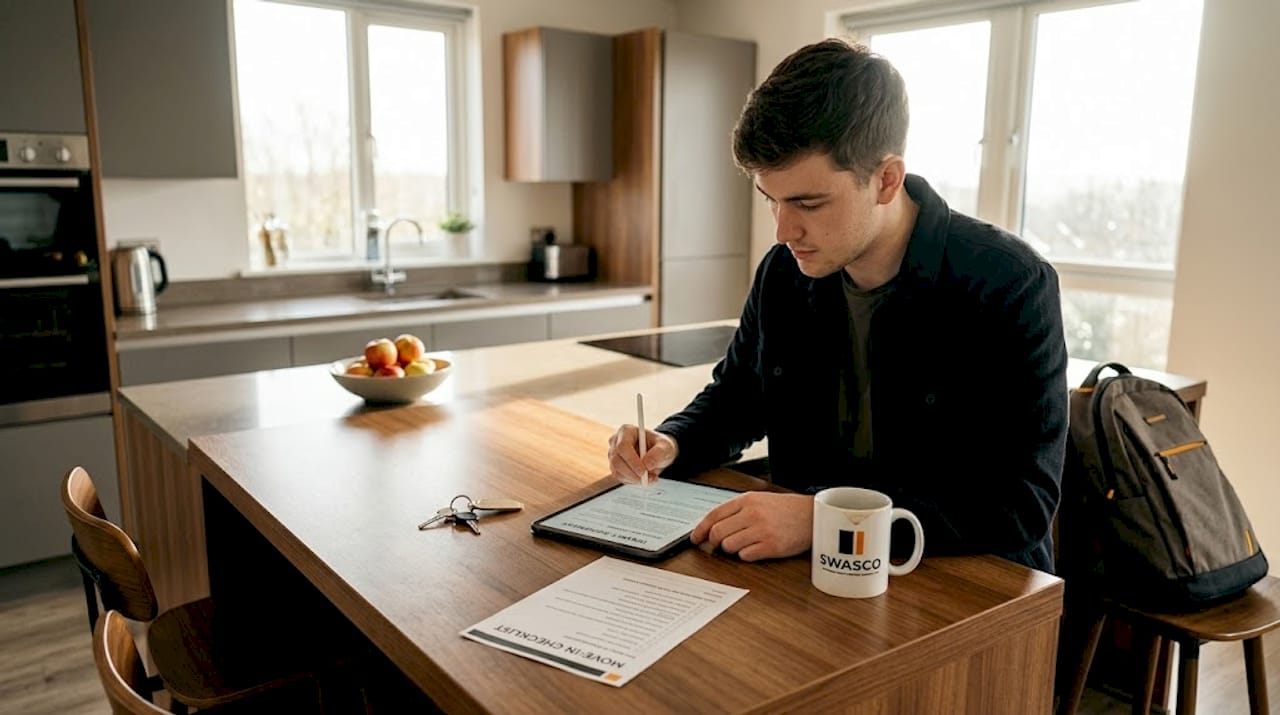
Fast automated communications also create a professional impression that lifts tenant satisfaction and lease renewal rates. Applicants who experience a smooth, fast process are more likely to renew and less likely to complain.
My honest take on automating tenant screening
I have watched property managers set up automated screening workflows with enormous enthusiasm, only to discover six months later that their decline rate had quietly doubled. Not because their applicant pool changed. Because their decision logic was flawed from the start and nobody was checking.
In my experience, the technology is rarely the problem. The problem is that people treat automation as a substitute for judgement rather than a tool that applies judgement consistently. You still need to think carefully about what criteria you are using, why you are using them, and whether they are actually predicting good tenancy outcomes or just filtering out people who make you uncomfortable.
The compliance risks in decision logic are real and underappreciated. I have seen landlords assume that because a software platform is widely used, it must be legally safe. That is not how it works. You are responsible for the criteria you configure, regardless of which platform executes them.
What I have found actually works is building automation to handle the mechanical work, then keeping a human in the loop for anything that sits near a threshold or involves unusual circumstances. The time savings are still enormous. You go from chasing paperwork for a week to having a decision ready in under two days. But the fairness and accuracy of that decision still depends on the quality of your thinking, not the sophistication of your software.
— James
How Swasco can support your property management workflows
If you manage multiple properties, the administrative load does not stop at tenant screening. Enquiries come in at all hours, leads go cold while you are handling maintenance calls, and follow-ups fall through the cracks. Swasco's automation tools are built for exactly this kind of operational pressure. From instant lead engagement to automated follow-up sequences, Swasco helps you handle enquiries at scale without adding headcount. The same principle that makes automated tenant screening so powerful applies across your entire property management workflow. Stop losing good tenants to slow responses. Let automation do the heavy lifting while you focus on decisions that actually need your attention.
FAQ
How long does automated tenant screening take?
Screening initiation drops to under 2 minutes after applicant consent, with credit and criminal reports returning within 30 minutes. The full cycle, including income and reference verification, typically completes in 1.8 days compared to 7.3 days manually.
Is automated screening compliant with fair housing law?
Automated screening must comply with the Fair Housing Act and FCRA, including avoiding disparate impact and sending adverse action notices. HUD's disparate-impact rules apply to automated decisions, so your scoring criteria must be reviewed for discriminatory outcomes.
Can I automate criminal background checks legally?
Yes, but with important limits. HUD guidance prohibits blanket denials based on criminal history and requires that arrests without convictions are excluded from decisions. Your automated logic must reflect these nuances.
What is an adverse action notice and when is it required?
An adverse action notice is a legal requirement under the FCRA when you deny an application or change lease terms based on a consumer report. It must include the applicant's right to dispute the information and the contact details of the reporting agency.
What is the best way to handle exceptions in automated screening?
Configure conditional approval workflows, co-signer options, and waitlist logic directly in your rental application software. Exception handling within automation keeps the process moving without requiring manual intervention for every edge case.