
Make your booking link impossible to miss and send every click into a single-action booking flow. Baymard Institute testing shows that when a booking feature is buried, people abandon before they finish, and Google Business Profile rules require that link to be crawlable and completable. Get those two things right first, then refine placement, mobile speed and tracking.
TL;DR:
- Place your booking call-to-action in prominent, visible locations such as the hero section and fixed header, using contrasting, sizable buttons for instant visibility.
- Use a simple, direct booking flow with a benefit-focused headline, minimal fields, and progressive disclosure to optimize conversion, especially on mobile devices.
- Ensure booking links are branded, properly tagged with UTM parameters, and avoid heavy redirects to maintain trust, track performance, and prevent security warnings.
- Follow Google Business Profile guidelines by providing a crawlable, direct response booking URL that loads quickly and requires no login or CAPTCHAs for verification.
- Regularly test, measure, and iterate your booking process, focusing on key metrics like click-to-book and completion rates, while prioritizing quick wins and technical support.
Table of Contents
- Where to place booking links and CTAs for immediate visibility
- Choose the right link destination: direct booking flow vs single-action landing page
- Link formats, shareability and tracking
- Mobile-first booking UX and form optimisation
- Google Business Profile and listing link rules you must follow
- Measure, test and iterate: metrics and A/B testing for booking links
- Quick implementation checklist and 30 to 90 day prioritised plan
- Security and privacy considerations for booking links
- Integrations with calendar apps and CRM systems
- Accessibility standards for booking links and forms
- Handling booking link failures and error messaging
- Personalisation techniques for booking links based on user data
- Legal compliance issues related to booking links (e.g., GDPR)
- Author perspective: practical pitfalls we've seen when clients implement booking links
- How Talk2Aiva helps: an option to automate booking links and prevent missed enquiries
- FAQ
- Sources
Where to place booking links and CTAs for immediate visibility
Prominence beats cleverness. Baymard Institute's testing confirms that users expect a booking feature on the homepage, and placement, size and contrast all affect whether they find it before they give up. A link hidden in a footer or buried three clicks deep loses people who had already decided to act.
Put your booking CTA in the hero section and in a header that stays visible as someone scrolls. Use a colour that contrasts with the rest of the page, not a shade that blends into your brand palette out of politeness. Size matters too: a button that competes visually with secondary links signals that booking is optional rather than the point of the page.
Beyond the homepage, the same link needs to show up wherever a prospect might already be looking for you:
- Email signatures: a short, branded booking link under your name, not buried in a block of contact details.
- Social profiles: the link-in-bio field, not a caption that scrolls out of view within hours.
- Appointment reminders: a rebooking link in confirmation and reminder messages, since people are already in a booking mindset.
- Google Business Profile: set your preferred booking link in the profile's appointment URL field so it appears directly in search and maps results.
Check both desktop and mobile views after any redesign. A button that looks prominent on a widescreen monitor can disappear below the fold on a phone, which is where most of your clicks will come from anyway.
Choose the right link destination: direct booking flow vs single-action landing page
Where the link sends people matters as much as where it sits. A direct booking widget works well for simple, standardised services where price and duration never change. A short enquiry form works better when you need to qualify the lead first, such as custom pricing or a consultation before confirming a date. A minimal landing page sits between the two, and for most service businesses it is the safer default.
- Write a short, benefit-led headline. Landing-page guidance recommends keeping it under 12 words and stating the service and the core benefit, not a slogan.
- Put one CTA above the fold. Everything else, pricing tables, testimonials, FAQs, belongs below it, not competing for attention.
- Limit the first form screen to three to five fields. Name, contact detail and preferred date are usually enough to start; anything else can wait.
- Use progressive disclosure for extras. Ask for group size, special requests or add-ons only after the basics are captured, which keeps the first screen quick to finish.
- Reserve longer enquiry forms for genuine qualification needs, such as bespoke quotes, rather than defaulting to them for every service.
Pro Tip: Capture name and email first, then reveal date and group-size fields only after that, since this sequencing reduces the perceived effort and tends to raise completion on mobile.
The trade-off is control versus friction: a direct widget converts faster but suits only simple offers, while a form filters better but costs you some volume at the top of the funnel.
Link formats, shareability and tracking
A booking link that looks untrustworthy or breaks when shared costs you conversions before anyone even reaches your form. A few formatting habits keep it reliable across every channel.
- Use a branded short domain rather than a generic shortener, since unfamiliar redirect chains are more likely to trigger antivirus or browser warnings, particularly on a newly launched link before it has built up reputation with security software.
- Tag every link with a consistent UTM scheme (source, medium, campaign) so you can see which channel, email, social post or listing actually drove the booking.
- Point to a canonical booking URL rather than a heavy JavaScript redirect chain, since redirects can break for crawlers and for Google's own verification of your Business Profile link.
- Use widget embeds on your own site where you control the experience, but share a direct link (not an embed) on social profiles and listings, since most of those platforms cannot render embedded widgets.
Keeping the link format simple and consistent also makes it far easier to diagnose problems later, whether that is a tracking gap or a platform flagging the link as suspicious.
Mobile-first booking UX and form optimisation
Most of your booking traffic will arrive on a phone, and mobile is where forms either convert quickly or lose people within seconds. Mobile share and UX recommendations point to roughly 62% of travel bookings happening on mobile, according to conversion research for travel, and the same single-column, large-tap-target logic applies to any service booking flow.
- Use a single-column layout throughout the form, never side-by-side fields that force horizontal scrolling.
- Keep tap targets at least 48 pixels tall so buttons and date pickers are easy to hit with a thumb.
- Compress hero images and assets so the page loads quickly on mobile data, not just on office Wi-Fi.
- Ask only for essentials above the fold; use native date pickers and progressive disclosure for the rest.
- Avoid desktop-only controls such as hover menus or drag sliders that do not translate to touch.
Test every booking page on at least one real phone, not just a browser's device-simulation mode, before a launch. A device-testing pass that includes a slow mobile connection will catch load-time problems that a fast office network hides completely.
Google Business Profile and listing link rules you must follow
Google's Business Profile policy is specific: a booking link must let the customer complete the action directly, and it must be accessible to Google's own verification crawlers. A link that requires login, shows a CAPTCHA, or returns anything other than a clean response can be removed without much warning.
- Check that your booking page loads a direct 200 OK response, with no login wall or bot-blocking step in front of it.
- Avoid heavy redirect chains or JavaScript-only rendering that a crawler cannot follow.
- Make the link specific to the right location when you operate from more than one address.
- If Google removes your link, fix the underlying crawlability issue first, then re-upload it in your profile settings. Practitioners on local search forums report that removals are often tied to non-compliant pages, and that fixing crawlability usually restores the listing.
- Audit third-party provider links (booking platforms, scheduling tools) the same way you would your own site, since the policy applies equally to them.
Measure, test and iterate: metrics and A/B testing for booking links
Treat your booking link as a funnel with stages, not a single pass-or-fail event. Track click-to-book rate, booking completion rate and the specific step where people abandon, since each tells you something different about where the friction sits.
- Prioritise high-impact tests first: hero copy, the CTA itself and form length, before fiddling with smaller details like button colour.
- Run each variation to roughly 200 to 400 conversions, or use sequential testing, before declaring a winner, a threshold conversion-testing guidance recommends to avoid acting on noise.
- Use your UTM tags alongside analytics to segment results by device and channel, since a change that helps desktop users can quietly hurt mobile completion.
- Avoid the two most common mistakes: calling a test too early on a small sample, and running two overlapping tests on the same page at once, which makes it impossible to say which change caused the result.
Single-element changes, a new hero image, a reworded headline, a shorter CTA, have produced uplifts of 21% to 35% in cited case studies, according to the same conversion-testing guidance, which is why they deserve first priority over smaller tweaks.
Quick implementation checklist and 30 to 90 day prioritised plan
Start with the changes that cost little and move fast.
- This week: move your booking CTA above the fold, cut your form to five fields or fewer, and build one single-action landing page for your main service.
- By day 30: test CTA copy, the hero image and a consistent UTM naming scheme, then confirm the mobile experience on a real phone.
- By day 90: connect calendar sync to prevent double bookings, automate follow-ups, and consider guided onboarding if in-house capacity is stretched.
- Ongoing: set a release cadence, require sign-off before publishing changes, and log every test result so nobody repeats a failed experiment by accident.
Pro Tip: Log the date, the change and the result of every test in one shared document, since a six-month-old win is easy to forget and easy to undo by accident.
Security and privacy considerations for booking links
A booking link handles personal details, names, phone numbers, sometimes payment information, which makes it a target worth securing properly rather than an afterthought bolted on after launch.
Serve every booking page over HTTPS, with no exceptions, since a browser's own security warning on an unencrypted page will stop a booking attempt before your form even loads. Keep the booking platform and any embedded widget updated, since outdated scripts are a common route for injected redirects or skimming code on forms that collect payment details.
Be deliberate about what you actually ask for. A booking form that requests a date of birth or a full address for a service that needs neither invites both abandonment and unnecessary data-protection exposure. Collect what the appointment genuinely requires and nothing more.
Watch for the practical trust problem that catches many new links out: a freshly launched booking URL can trigger antivirus or browser redirect warnings until it builds up reputation with security vendors, a pattern noted in platform reviews. A workaround that works for repeat or high-value customers is offering both a branded short link and a direct bookmarked URL while the newer link settles in.
Finally, store confirmation and reminder data securely and limit who on your team can access booking records. A shared inbox full of unencrypted customer details is a liability that has nothing to do with the booking link itself but everything to do with how you handle what it collects.

Integrations with calendar apps and CRM systems
A booking link that does not talk to your calendar creates the exact problem it was meant to solve: double bookings, missed appointments and manual chasing. Two-way calendar sync, where a confirmed booking blocks the slot everywhere at once, is the single integration worth prioritising before any other automation.
Connect your booking tool to the calendar your team actually uses day to day, rather than maintaining a separate booking calendar that someone has to check manually. Our guide to calendar sync covers the practical setup steps and the common gaps that cause slots to go out of sync.
CRM integration matters just as much once volume grows. A booking that creates a contact record automatically, tags the source channel and triggers a follow-up sequence saves a manual step that otherwise falls to whoever happens to check the inbox that day. Without it, leads sit in a booking platform disconnected from the rest of your customer history, which makes it harder to spot repeat customers or follow up on no-shows.
If your current stack involves juggling a booking tool, a separate calendar and a CRM that nobody updates consistently, that gap is usually where double bookings and lost follow-ups originate, not the booking link itself. Our notes on preventing double bookings go through the three layers (database, calendar, and automated checking) that stop the same slot being sold twice.

Accessibility standards for booking links and forms
A booking form that only works for sighted mouse users with perfect vision turns away a meaningful share of potential customers, and in many markets it also creates a legal exposure worth taking seriously.
Label every form field properly so screen readers can announce what each one expects, rather than relying on placeholder text alone, which disappears the moment someone starts typing and leaves assistive technology with nothing to read. Make sure every interactive element, buttons, date pickers, dropdowns, can be reached and operated using a keyboard alone, since not every visitor uses a mouse or a touchscreen.
Colour contrast needs to meet a readable standard for text and for the CTA button itself; a pale grey button on a white background might look elegant, but it is invisible to a meaningful share of users with low vision. Error messages need to be clear and specific, not just a red border with no explanation of what went wrong or how to fix it.
Keep the booking flow linear and predictable. A form that reorders fields dynamically or hides required steps behind unlabelled icons creates confusion for anyone relying on assistive technology, and frankly for most other users too. Test the entire flow with a keyboard only, tabbing through every field in order, before calling a booking page finished.
Handling booking link failures and error messaging
Even a well-built booking link will fail sometimes: a slot gets taken in the moment between page load and submission, a payment step times out, or a third-party calendar sync drops a connection. How you handle that moment decides whether the customer tries again or leaves.
Write error messages in plain language that explain what happened and what to do next, not a generic "something went wrong" with no path forward. "That time slot was just booked. Here are the next available times" keeps someone in the flow instead of sending them away confused.
Build in a fallback contact option on every error screen, a phone number or a message link, so a booking that fails technically does not become a lost customer entirely. Test your failure states deliberately: submit a form with a slot that is already taken, disconnect your test environment from the internet mid-booking, and see what the customer actually sees in each case.
Monitor for failures proactively rather than waiting for a customer to complain. A spike in abandoned bookings at the same step, visible through the funnel tracking covered earlier in this guide, usually points to a technical fault rather than a sudden change in customer behaviour.
Personalisation techniques for booking links based on user data
A returning customer and a first-time visitor do not need the same booking experience, and treating them identically wastes an opportunity to remove friction for the people most likely to convert quickly.
Pre-fill known details for returning customers, name, preferred service, last appointment type, when they arrive via an email or SMS link tied to their record. This alone can shorten the form to almost nothing for repeat bookings. Use UTM parameters and referral source to tailor the landing page message: a visitor arriving from a Google Business Profile listing is searching with local intent, while one arriving from an email reminder is already a customer and needs a faster path back to rebooking.
Segment by service type where your offering is varied. A landing page that immediately reflects the specific service someone clicked through for, rather than a generic booking form for the whole business, reduces the number of choices someone has to make before they can act.
Keep personalisation proportionate to what the data actually supports. Guessing at preferences from limited signals, or over-personalising in a way that feels intrusive, tends to erode trust rather than build it, so the simplest, most reliably useful personalisation is usually pre-filling known, previously given information rather than inferring new assumptions about a customer.
Legal compliance issues related to booking links (e.g., GDPR)
A booking form collects personal data the moment someone types in a name or phone number, which means data-protection law applies from that first field, not just at the point of payment.
Only collect what the booking genuinely requires, and state clearly what you will do with the information, ideally in a short line near the submit button rather than buried in a separate policy page nobody opens. Consent for marketing follow-ups (an email newsletter, a review request) needs to be separate from consent to process the booking itself. Bundling the two into one unavoidable tick box is the kind of practice that invites scrutiny.
Store booking data securely and only for as long as you genuinely need it. A customer record from a one-off appointment three years ago that nobody has looked at since is a liability sitting on a server for no operational reason. Give customers a straightforward way to ask what data you hold and to have it deleted, since that right exists independently of whether anyone ever exercises it.
If your booking platform is provided by a third party, confirm where that provider stores and processes data, since you remain responsible for the customer's data even when a vendor is handling the technical side. This is a question worth asking directly rather than assuming a booking tool automatically covers you.
Author perspective: practical pitfalls we've seen when clients implement booking links
The failures that cost businesses bookings are rarely the ones in UX checklists. A perfectly good link gets flagged as suspicious by antivirus software before it earns reputation, a calendar sync silently drops and creates a double booking nobody notices for a week, or a UTM scheme gets renamed halfway through a campaign and analytics stop making sense. Onboarding with technical support can help catch most of this before launch; escalate to vendor support the moment a sync or tracking issue cannot be reproduced in-house.
— James Paul
How Talk2Aiva helps: an option to automate booking links and prevent missed enquiries
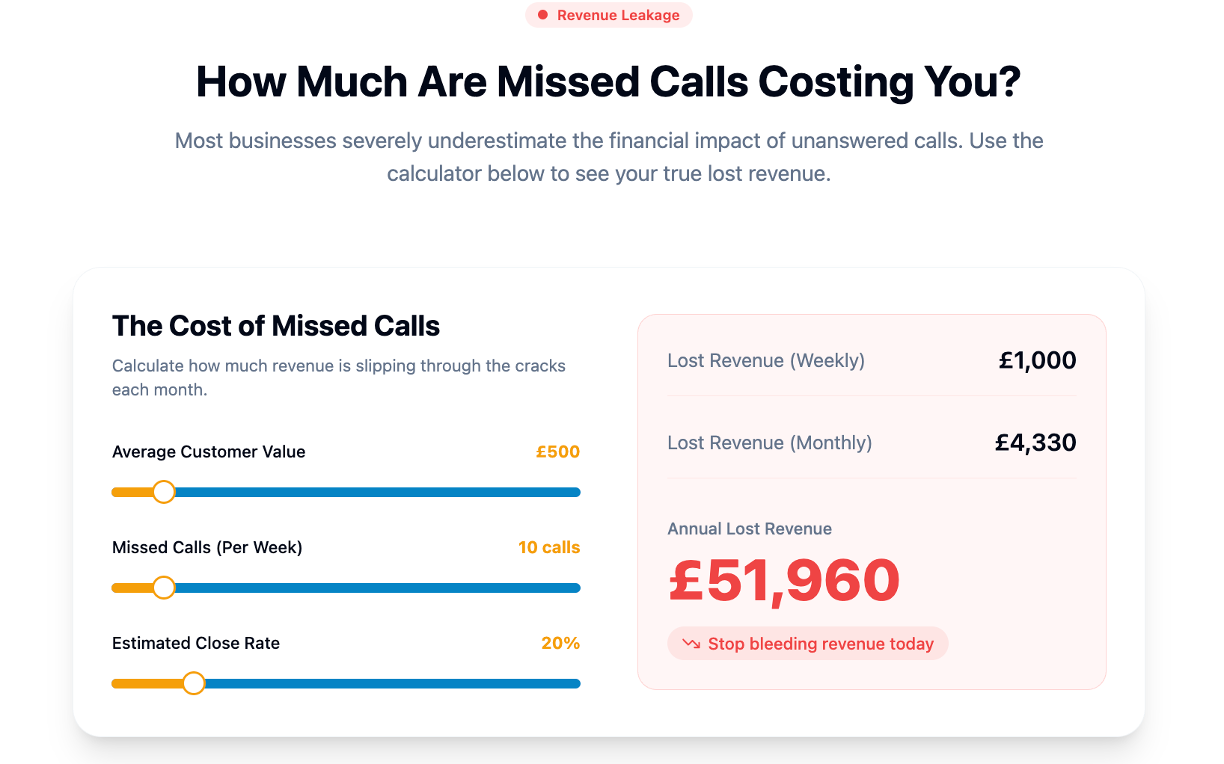
Getting a booking link right solves half the problem. The other half is what happens when someone calls instead of clicking, or messages outside office hours and gets no reply at all. That is where a conversational AI receptionist earns its place alongside the link itself, answering calls, texts, website chat and social messages around the clock, qualifying the enquiry and booking it straight into your calendar.
We built Talk2Aiva to handle that gap without adding another tool for your team to babysit:
- 24/7 call, text and chat answering that captures and qualifies leads the moment they reach out, not whenever someone next checks a phone.
- Real-time calendar sync that books directly into your existing calendar, reducing the double-booking risk that a disconnected booking link can create.
- Guided setup and ongoing technical support included, so the common launch issues covered in this guide, redirect warnings, sync gaps, tracking mix-ups, get resolved by our team rather than left for yours to troubleshoot alone.
Plans run from the Software Suite through to the Ultimate AI Suite and Elite AI Suite, each with setup and support built in rather than sold separately. If missed calls and unanswered enquiries are costing you bookings, visit our voice AI product page to see how it fits your business, or head to our plans to compare what is included at each tier.
FAQ
Which website builder has the best built-in booking system?
Most major website builders now include some form of booking widget, and the right choice depends on how much customisation and calendar integration your service needs rather than any single builder being universally best. Check specifically for calendar sync, mobile responsiveness and whether the booking page meets Google Business Profile's crawlability requirements before committing.
How do I create a booking link?
Set up a dedicated booking page or widget through your scheduling platform, then generate a stable, branded short URL for it rather than relying on a long, default system-generated address. Add that link to your Google Business Profile's appointment field, your email signature and your social bios so it is consistent everywhere it appears.
Is there a free booking link option for businesses?
Several scheduling tools offer a free tier with basic booking link functionality, usually limited by features such as calendar count, reminders or branding removal. A free option can work for a single-person service testing the concept, but most growing businesses outgrow the limits fairly quickly once volume and integration needs increase.
What is the best booking platform?
There is no single best platform for every business, since the right choice depends on service complexity, calendar needs and whether you want qualification and follow-up handled automatically or manually. For service businesses losing bookings to missed calls or slow replies, a platform like Talk2Aiva that combines 24/7 AI answering with calendar sync addresses a gap that a booking link alone cannot close.
How do I stop my booking link triggering security warnings?
New booking links can occasionally trigger antivirus or browser redirect warnings until the domain builds reputation with security vendors, a pattern noted in platform reviews. Using a stable, branded short URL rather than a generic redirect chain, and offering a direct bookmarked link for repeat customers, reduces how often this happens.
Sources
- Travel site UX: 5 best practices – Baymard Institute
- Conversion landing pages for travel: 2026 guide
- Business links policies & guidelines - Google Business Profile Help
- Local Search Forum discussion: Google removing booking URLs from Business Profiles