
If your business loses leads to missed calls or slow replies, done-for-you automation stops that leakage and takes bookings for you instead. For most service SMEs without a dedicated tech team, it's the faster, lower-risk route to reliable lead handling. A leading done-for-you automation solution offers 24/7 conversational AI, full onboarding, and ongoing support, so fewer enquiries slip through the gaps.
TL;DR:
- Automating lead response and qualification can answer inquiries within seconds, preventing potential revenue loss from delayed follow-up.
- A comprehensive system handles multiple channels, maintains a unified inbox, and syncs bookings directly with existing calendars for efficiency.
- Typical implementation takes 1 to 6 weeks, with early internal decisions and access sharing being the main timeline factors.
- Ongoing support and performance tracking within the first month are critical for optimizing response times and reducing no-shows.
- Ensure the provider offers native integrations, clear ownership of automation logic, and detailed documentation before signing.
Table of Contents
- What does a done-for-you automation service actually include?
- Which workflows should you automate first?
- How long does a done-for-you build actually take?
- What ROI should you expect, and how do you measure it?
- How do you choose a done-for-you provider without getting burned?
- How does Talk2Aiva deliver done-for-you automation in practice?
- Choosing hands-off automation over building it yourself
- Ready to stop losing leads? Here's what to prepare
- Sources
- FAQ
What does a done-for-you automation service actually include?
A proper done-for-you automation package is a full system, not a single chatbot bolted onto your website. Business process automation combines workflow engines, integrations, and often AI, to handle repeatable multi-step processes without a person touching every step. That's the technical backbone; the commercial version, for a service business, looks like this:
- Conversational AI across channels: calls, SMS, web chat, and social media messaging, all handled by the same system.
- Lead capture and qualification: enquiries are screened and scored the moment they arrive, not hours later.
- Appointment booking with calendar sync: leads book straight into your live availability.
- Follow-up sequences and review requests: automated nudges that chase quotes, confirm bookings, and ask happy customers for reviews.
- A unified inbox and live dashboard: every channel in one place, so nothing gets missed between platforms.
Handover matters as much as build quality. A serious provider gives you documentation, training for your team, and clear ownership of the automation logic and your own data, so you're never locked into one vendor without an exit. IBM's guidance on business process automation stresses exactly this: clarity on data access and process ownership before you sign. Commercially, expect either a build-only fee or a managed subscription that bundles ongoing optimisation, which suits most SMEs better than a one-off build with no support after launch.
Which workflows should you automate first?
Some workflows pay back faster than others. Splunk's research on business process automation suggests automating the complex, multi-person tasks first, since that's where errors and delays compound. For a service business, that usually means:
- Instant lead reply, qualification, and booking: a new enquiry gets answered in seconds, screened against your criteria, and offered a calendar slot, all before a human sees it.
- Appointment confirmations and rescheduling: automated reminders and easy rebooking cut no-show rates without extra admin, as covered in this guide to appointment confirmation automation.
- Multi-touch follow-ups and payment reminders: a sequence of nudges that recovers quotes and invoices people forgot to act on.
- Operational triggers: a booked job automatically creates a CRM record, updates your calendar, and raises an invoice.
The specifics shift by sector. A salon needs rebooking reminders and no-show recovery; an estate agent needs viewing confirmations and instant enquiry replies; a trades business needs quote follow-ups; a clinic needs appointment reminders and waitlist fills. The workflow logic is nearly identical. Only the wording and the triggers change.
How long does a done-for-you build actually take?
Expect five phases: discovery, process mapping, build, testing, and live launch, followed by ongoing optimisation. Discovery is where most delays happen, because it depends on how quickly you can hand over access to your CRM, calendar, and existing customer data.
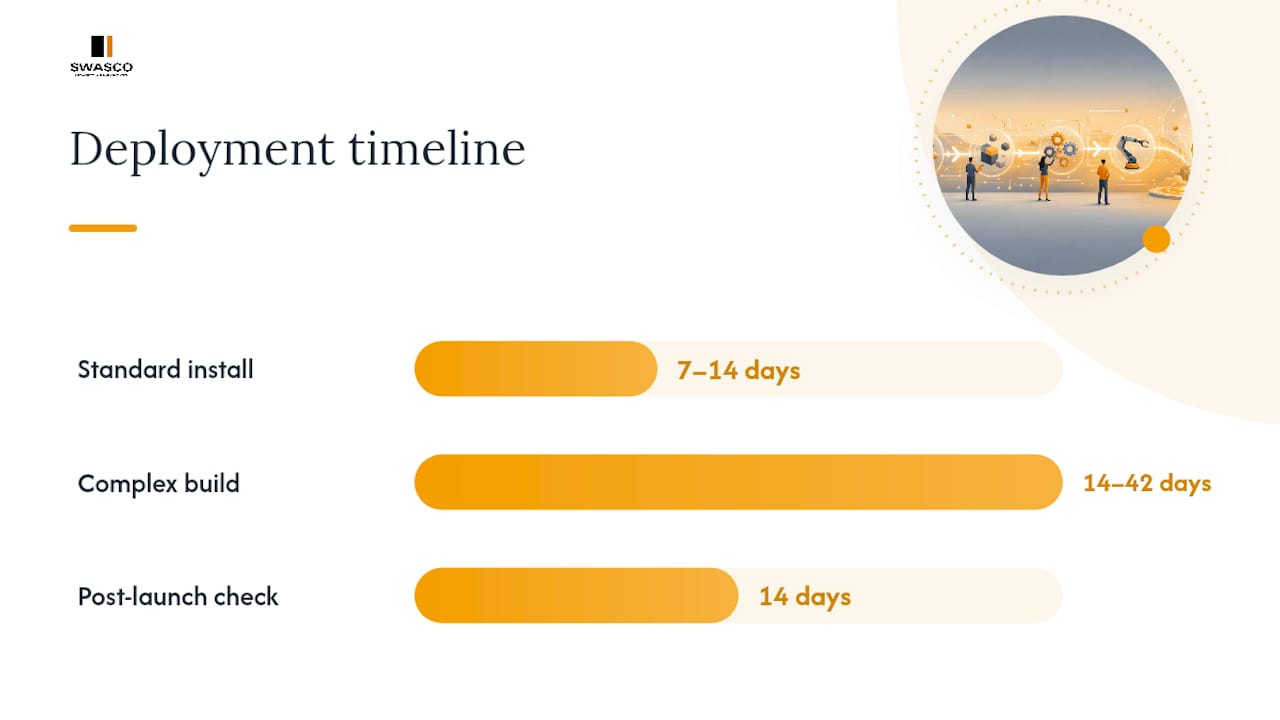
Timelines vary by complexity. Standard installs, covering one or two channels with straightforward booking logic, can go live in roughly 7 to 14 days. More involved builds, spanning multiple channels, custom qualification rules, or several integrated systems, typically run 2 to 6 weeks. What extends the timeline most often isn't the build itself, it's slow internal decisions: who approves the qualification script, who owns the calendar rules, who signs off the test leads.
Your responsibilities are lighter than you'd think, but they're non-negotiable:
- Grant access to your CRM, calendar, and communication channels early.
- Nominate one decision-maker who can approve scripts and logic without a committee.
- Supply three or four real sample enquiries so the AI is trained on your actual customer language, not generic templates.
- Set aside time in week one for a short review call before the system goes fully live.
Pro Tip: Run your done-for-you system in parallel with your existing process for the first week rather than switching off manual handling entirely. It catches edge cases without risking a dropped lead during the transition.
Post-launch, a good provider checks response times and booking rates within the first fortnight and adjusts the qualification logic accordingly. That early optimisation cadence matters more than the initial build.
What ROI should you expect, and how do you measure it?
The direct payoff is fewer missed leads, faster responses, and fewer no-shows, but "faster" only means something if you're tracking it. Splunk's insight on measuring early wins applies directly here: track response time and missed-lead rate from week one, because those early numbers build the internal case for keeping the system and expanding it.
The KPIs that actually tell you if it's working: response time to new enquiries, lead-to-booking conversion rate, booked revenue per lead, no-show rate, and support ticket volume. Watch all five, not just one.
A simple ROI calculation works like this: take the lift in booked jobs the system generates, multiply by your average job value, then subtract the monthly cost of the service. If automation adds ten extra bookings a month at an average job value of £150, that's £1,500 in additional revenue before you even account for the admin hours saved on manual follow-up.
How do you choose a done-for-you provider without getting burned?
Start with integrations. A provider that can't connect cleanly to your existing CRM and calendar, as outlined in this guide to CRM integration for agents, will cost you more in workarounds than it saves in automation. Beyond that, look for speed of delivery, ongoing optimisation support, clear data ownership, and stated security practices. IBM's framework for business process automation puts data ownership and process clarity at the centre of any serious vendor evaluation, and that holds just as true for a five-person salon as it does for a large enterprise.
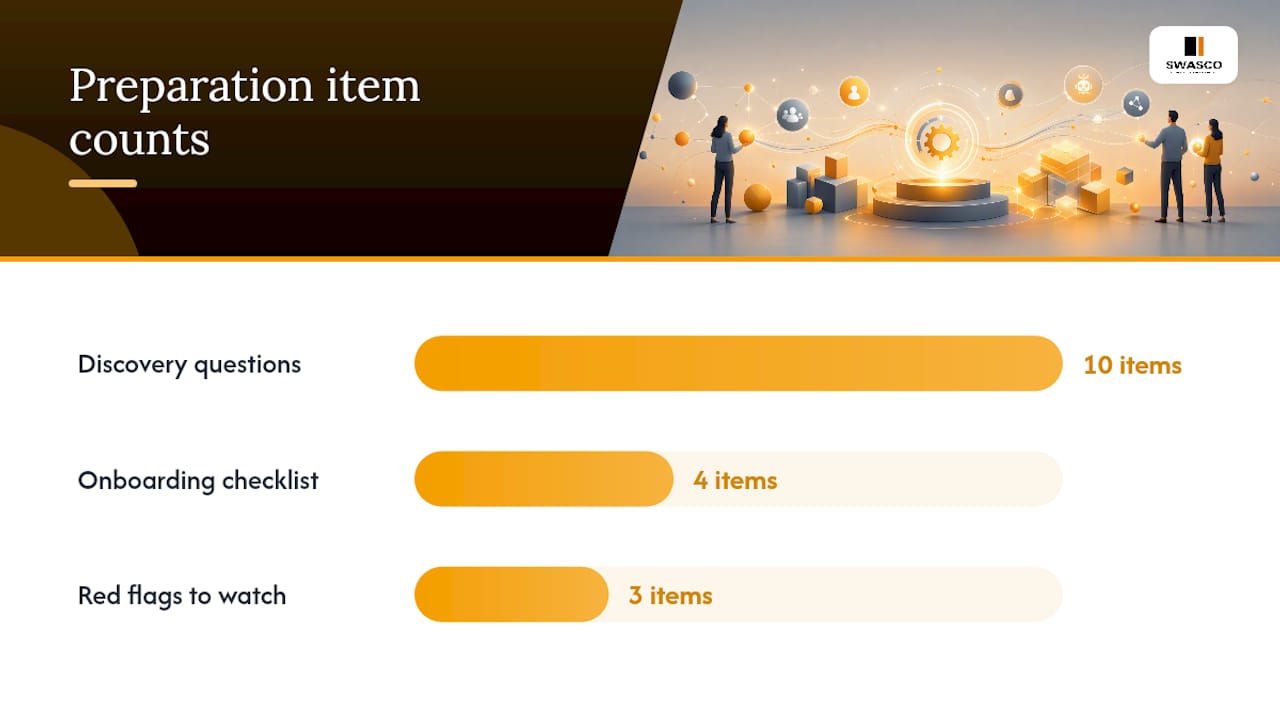
Ten questions worth asking on a discovery call:
- What happens to my data if I cancel?
- Who owns the automation logic once it's built?
- What's the realistic delivery timeline for my specific setup?
- How do you test the system before it goes live?
- What ongoing support is included, and what costs extra?
- Which CRMs and calendars do you integrate with natively?
- How do you handle a lead the AI can't confidently qualify?
- What reporting do I get, and how often?
- Can I see a live example in my sector?
- What's your response time if something breaks?
Pro Tip: Ask for a documented handover pack before you sign, not after launch. If a provider can't describe what that pack contains, that's your answer.
Red flags: no testing phase before go-live, pricing that changes once you're mid-onboarding, and no written documentation of how the system actually works. A short onboarding checklist protects you here: confirm access requirements, agree the KPIs you'll track, nominate your decision-maker, and get the handover terms in writing before the build starts.
How does Talk2Aiva deliver done-for-you automation in practice?
Talk2Aiva runs conversational AI across calls, SMS, website chat, and social media, capturing and qualifying leads around the clock, then booking them straight into your calendar. The platform's automation approach is built specifically for service businesses that can't afford a missed enquiry overnight or over a weekend.
Delivery follows onboarding, AI training, workflow building, live launch, and ongoing optimisation with technical support included throughout, not as a paid extra. In the first 30 to 90 days, expect a live system, an early optimisation review, and regular reporting on response times and booking rates.
| What's included | Why it matters |
|---|---|
| Multi-channel AI (calls, SMS, chat, social) | No enquiry goes unanswered regardless of channel |
| Onboarding and workflow build | System reflects your actual processes, not a template |
| Live launch and optimisation | Performance improves after go-live, not just at build |
| Ongoing technical support | You're not left managing the system alone |
- Appointment reminder and confirmation flows reduce no-shows without manual chasing.
- Automated replies on channels like Facebook Messenger catch leads outside office hours.
- Booking flows sync directly with existing calendars, avoiding double-entry.
Choosing hands-off automation over building it yourself
Done-for-you automation makes sense when lead handling is mission-critical and you have no spare technical capacity to build or maintain it yourself. DIY suits a very narrow case: tiny scope, tight budget, and someone in-house who genuinely understands the tooling. For most service businesses, the practical move is a managed system with clear reporting and a named point of contact for changes.
— James Paul
Ready to stop losing leads? Here's what to prepare
Some providers exist specifically to address the problem of missed calls, slow replies, and enquiries that quietly disappear before anyone books. Rather than piecing together a DIY chatbot and hoping it holds up, these offer a fully built system, conversational AI across calls, SMS, web chat, and social, with onboarding, training, and technical support included, not billed separately later.

Before a discovery call, have three things ready: access to your CRM and calendar, three or four real sample enquiries in your customers' own words, and a short list of the KPIs you actually want to move, whether that's response time, booking rate, or no-show reduction. That's enough for Talk2Aiva to map your workflows properly rather than guessing at them.
Have a look at the Talk2Aiva voice AI platform to see how the system handles calls and bookings end to end, and book a discovery call to get a realistic timeline for your own setup.
Sources
- What is business process automation? — IBM
- Business process automation (BPA) — Splunk
- Business process automation — Wikipedia
FAQ
What can I automate to make money?
Lead capture, qualification, and booking are the highest-return workflows for service businesses, since every unanswered enquiry is potential revenue walking away. Automated follow-ups and review requests also recover jobs and referrals that would otherwise go cold.
What are five examples of automation?
Instant lead reply and qualification, appointment booking with calendar sync, automated confirmation and rescheduling messages, multi-touch follow-up sequences, and automatic CRM updates when a job is booked are five common examples in service businesses.
Is automation replaced by AI?
No. AI extends automation rather than replacing it, particularly by handling unstructured input like natural conversation or messy enquiry text that older rule-based automation struggles with. Most modern done-for-you systems, including Talk2Aiva, combine both.
How can I automate my sales process?
Start with instant response to new enquiries, then automate qualification, booking, and follow-up in that order, since these are the stages where delay costs the most leads. A done-for-you provider maps this against your existing CRM and calendar rather than starting from scratch.