
CRM integration for agents is the process of linking a customer relationship management system with other software tools to synchronise data and automate workflows across your entire business. Integrated CRM systems connect sales, invoicing, communication, marketing, and support functions into one unified data environment. Businesses using this approach can achieve up to 245% ROI by eliminating manual data entry and automating repetitive tasks. For real estate agents and service professionals, that translates directly into faster lead responses, fewer missed opportunities, and stronger client relationships built on accurate, up-to-date information.
What is CRM integration for agents?
CRM integration is defined as the technical connection between your CRM platform and other business applications, so data flows automatically between them without manual copying. The industry term for this is systems integration, and it applies specifically to how your CRM communicates with tools like email platforms, calendar software, payment gateways, and lead capture forms. For agents, the practical result is a single, reliable record for every client and every lead, updated in real time across every tool you use.
Think about what happens without integration. A lead comes in through your website. You copy their details into your CRM manually. You then add them to your email list separately. You book a viewing in a separate calendar app. Each step creates a new opportunity for error, delay, or duplication. Integration removes every one of those manual steps. The data moves automatically, and your CRM becomes the single source of truth for your entire operation.

Manual data copying is one of the leading causes of lost leads in agent businesses. The time spent re-entering information is a direct productivity tax on your team. CRM integration eliminates that tax entirely.
What are the main types of CRM integration available?
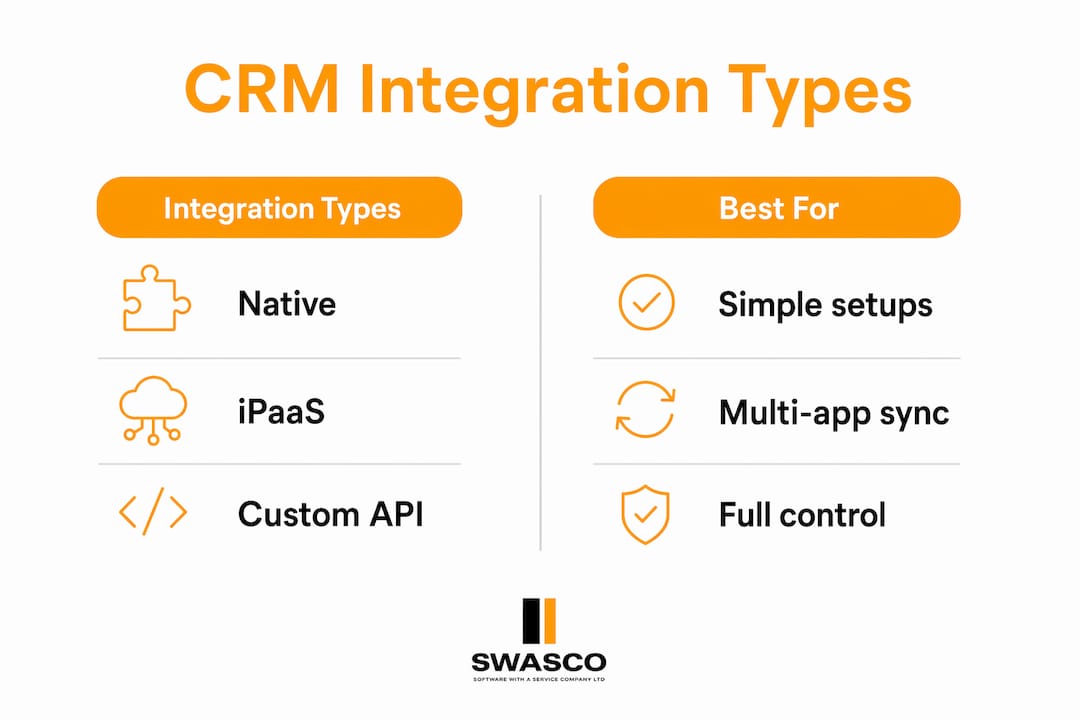
Three primary methods exist for connecting your CRM to other tools: native integrations, third-party iPaaS platforms, and custom API-based connections. Each suits a different level of technical need and budget.
| Integration Type | How It Works | Best For |
|---|---|---|
| Native integrations | Built-in connectors within the CRM itself | Agents using popular, mainstream tools |
| Third-party iPaaS | Middleware platforms like Zapier or Make that sit between apps | Agents needing flexible, no-code connections |
| Custom API | Developer-built connections between specific systems | Businesses with specialised or bespoke software needs |
Native integrations are the simplest starting point. Platforms like HubSpot and Salesforce include pre-built connectors for hundreds of popular tools. You activate them with a few clicks, and data starts flowing immediately. There is no coding required and no third party to manage.
Third-party iPaaS platforms act as a central hub between your apps. They are useful when your CRM does not natively support a tool you rely on. The trade-off is an additional subscription cost and a dependency on a third-party service staying operational.
Custom API integrations offer the most control but require developer involvement. They suit agents using bespoke property management software or specialist tools that no off-the-shelf connector supports. For a detailed comparison of custom API approaches, the Signal Engine vs Zoho CRM breakdown covers how advanced API strategies differ in practice.
Pro Tip: Start with native integrations before exploring third-party middleware. They are faster to set up, easier to maintain, and carry fewer points of failure.
How does CRM integration benefit agents in daily operations?
The most immediate benefit of CRM integration is speed. When a lead submits an enquiry, your CRM captures it, assigns it, and triggers a follow-up automatically. You respond in minutes rather than hours. In real estate, that speed is often the difference between winning and losing a client.
Here is what integrated CRM data does for your daily workflow:
- Eliminates duplicate records. Data entered once flows everywhere. No more two versions of the same client in different systems.
- Speeds up lead response. Automated triggers fire the moment a lead arrives, so your response is instant even when you are with another client.
- Creates a unified client view. Every call, email, viewing, and note sits in one place. You walk into every conversation fully informed.
- Improves team collaboration. Sales, marketing, and support all work from the same data. No one is operating on outdated information.
- Reduces human error. Automated data transfer removes the mistakes that come with manual copying.
Call centre CRM integration demonstrates this clearly. Agents who can see a full interaction history before picking up the phone resolve queries faster and with higher client satisfaction scores. The same principle applies to estate agents reviewing a buyer's full enquiry history before a viewing.
Integrations automate lead capture, calendar booking, and payment processing in one connected workflow. For a letting agent, that means a prospective tenant can enquire online, book a viewing, and receive a confirmation, all without anyone on your team lifting a finger. Read more about how to qualify property leads automatically to see this in practice.
What are the common challenges of CRM integration?
CRM integration delivers real results, but only when it is set up correctly. The most common failure point is poor data quality before integration begins.
-
Audit your data first. Successful CRM integration depends on careful data governance and mapping. If your existing records contain duplicates, inconsistent formats, or missing fields, integration will spread those problems across every connected system. Clean your data before you connect anything.
-
Standardise your data formats. Decide on consistent naming conventions, date formats, and field structures before you build any connection. Data standardisation before integration is the single most effective way to prevent corrupted records from compromising your systems.
-
Avoid integration bloat. Connecting too many apps creates conflicts, slows performance, and makes troubleshooting a nightmare. Focus on the core tools that directly drive revenue: lead capture, communication, booking, and reporting.
-
Test before you go live. Run every integration in a test environment with sample data. Confirm that records sync correctly, triggers fire at the right time, and no data is lost or duplicated.
-
Monitor continuously. Without ongoing data governance, CRM integrations degrade in value over time. APIs change, software updates break connections, and data quality drifts. Schedule regular audits to catch problems early.
Pro Tip: Assign one person in your team as the CRM integration owner. Someone who checks sync logs weekly and flags errors before they become costly problems.
Common lead response time mistakes often trace back to broken or poorly maintained integrations. A connection that worked six months ago may have silently failed after a software update.
Which CRM tools are best for real estate and service agents?
Salesforce, HubSpot, and Microsoft Dynamics 365 are the three most widely used CRM platforms in real estate and service sectors. Each offers extensive integration libraries and strong support for the workflows agents rely on most.
Salesforce suits larger agencies or those with complex, multi-team operations. Its AppExchange marketplace contains thousands of pre-built integrations, including property portals, document signing tools, and financial software. The trade-off is cost and complexity.
HubSpot is the most accessible option for independent agents and small agencies. Its free tier includes core CRM features, and its native integrations cover email marketing, calendar booking, live chat, and lead capture forms. HubSpot's interface requires minimal technical knowledge to operate.
Microsoft Dynamics 365 fits businesses already embedded in the Microsoft ecosystem. Its integration with Outlook, Teams, and SharePoint makes it a natural choice for agencies that run their operations through Microsoft 365.
When evaluating any CRM integration for your agency, prioritise these criteria:
- Ease of setup. Can you activate the integration without developer support?
- Data sync frequency. Does data update in real time or on a delay?
- Support quality. Is help available when an integration breaks?
- Scalability. Will the integration handle your volume as your business grows?
For agents focused on improving follow-up processes, reviewing letting agent follow-up best practices alongside your CRM setup will help you build a complete, automated client communication workflow.
Key takeaways
CRM integration for agents works by connecting your CRM to other business tools, creating a single source of client data that automates workflows, reduces errors, and accelerates lead response across your entire operation.
| Point | Details |
|---|---|
| Core definition | CRM integration links your CRM to other tools so data syncs automatically without manual input. |
| ROI potential | Integrated CRM systems can deliver up to 245% ROI by removing manual data entry and automating workflows. |
| Three integration types | Native, third-party iPaaS, and custom API integrations each suit different budgets and technical needs. |
| Data quality first | Clean and standardise your data before connecting systems to prevent errors from spreading across tools. |
| Avoid over-integration | Connect only core, revenue-driving tools to keep your system reliable and easy to maintain. |
Why most agents are getting CRM integration wrong
I have worked with dozens of agents who invested in CRM platforms and then wondered why nothing changed. The answer is almost always the same: they connected the tools but ignored the data underneath them. A CRM integration is only as good as the records it moves. If your contact database is full of duplicates, outdated phone numbers, and inconsistent lead sources, integration just spreads that mess faster.
The second mistake I see constantly is over-ambition at the start. Agents connect their CRM to every tool they use, every portal, every email platform, every social channel, and then spend more time managing broken connections than actually talking to clients. The goal of CRM integration is not to connect everything. The goal is to create a reliable single source of customer data that your whole team trusts. That requires discipline, not volume.
My honest advice: start with three integrations maximum. Lead capture, calendar booking, and your primary communication channel. Get those working perfectly. Measure the time you save and the leads you stop losing. Then, and only then, consider adding more. The agents who get the most from their CRM are not the ones with the most integrations. They are the ones with the fewest broken ones.
— James Paul
How Talk2Aiva supports your CRM integration
If you are an agent who wants the benefits of CRM integration without the technical headache, Talk2Aiva by SWASCO is built for exactly that situation.
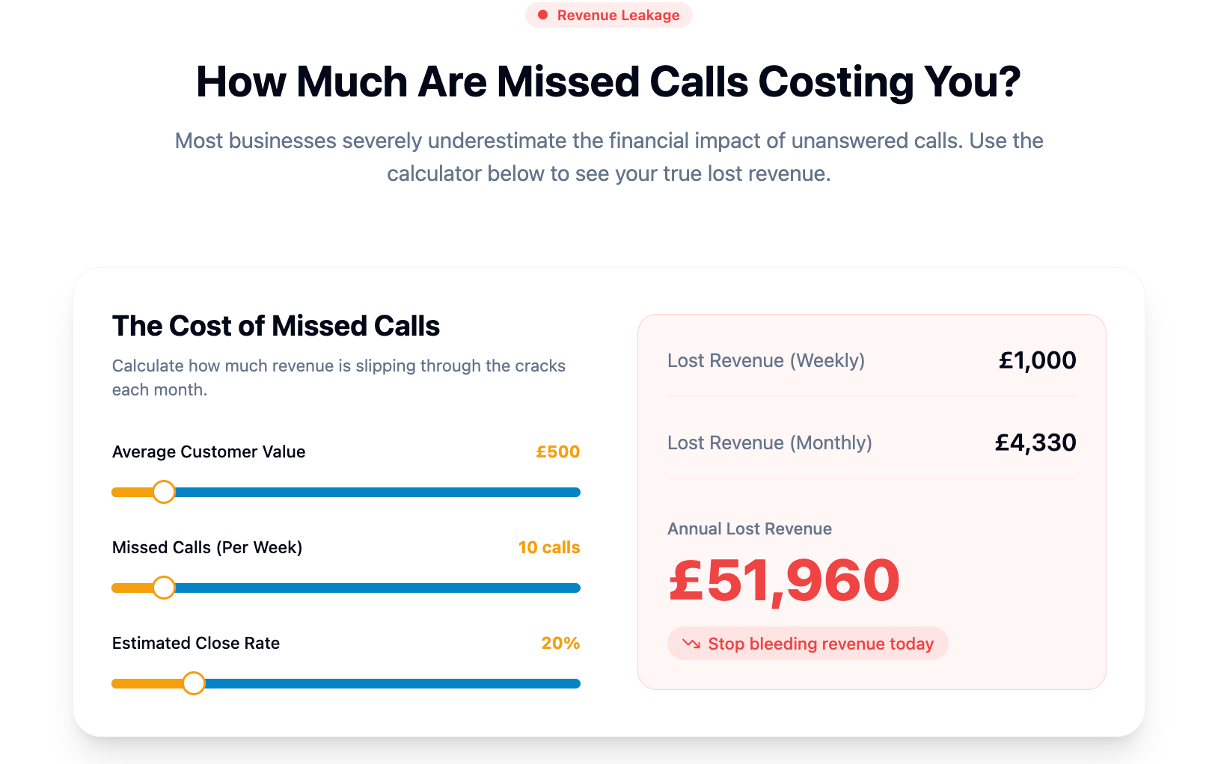
Talk2Aiva connects to your existing CRM and handles lead capture, qualification, booking, and follow-up automatically, 24 hours a day, across calls, text, website chat, and social media. Every interaction is logged directly into your CRM in real time, so your data stays accurate without anyone on your team manually updating records. From setup and AI training through to live launch and ongoing support, the entire process is managed for you. Explore how Talk2Aiva's voice AI platform works and see how it fits into your current agent workflow.
FAQ
What is CRM integration for agents in simple terms?
CRM integration for agents is the automatic connection between your CRM and other business tools, so client data syncs without manual input. It removes the need to copy information between systems and keeps every team member working from the same up-to-date records.
How does CRM integration improve lead management?
CRM integration captures leads automatically from web forms, calls, and portals and routes them into your CRM instantly. This triggers immediate follow-up actions, reducing response times and preventing leads from falling through the gaps.
What is the best CRM for real estate agents?
HubSpot suits independent agents and small agencies due to its accessible interface and strong native integrations. Salesforce and Microsoft Dynamics 365 are better suited to larger agencies with more complex, multi-team workflows.
How do i avoid data problems when setting up CRM integration?
Audit and clean your existing data before connecting any systems. Standardise field formats, remove duplicates, and agree on naming conventions across your team. Corrupted data fed into an integration will replicate errors across every connected tool.
What integrations do agents need most?
The highest-value integrations for agents are lead capture forms, calendar booking tools, and communication platforms such as email or SMS. These three cover the core revenue-driving touchpoints without creating unnecessary complexity.