
Google reviews are the single most visible trust signal for any beauty business competing for local clients. Generating them consistently requires a repeatable process built around your Google Business Profile, well-timed requests, and automated follow-ups. The beauty business Google review generation steps covered here give you a practical framework to collect genuine feedback, improve your local search visibility, and build the kind of reputation that fills your appointment book. Tools like Google Business Profile Manager, GlossGenius, and Talk2Aiva all play a role in making that process work at scale.
1. Set up and optimise your Google Business Profile
Your Google Business Profile is the foundation of every review generation strategy. Without a verified, complete profile, review links do not work and your business may not appear in local search results at all.
Start by claiming your profile through Google Business Profile Manager and completing the verification process. Google sends a postcard, calls, or emails a verification code depending on your business type. Once verified, fill in every field accurately.
Key profile elements to complete:
- Business name: Use your exact trading name, not a keyword-stuffed version.
- Categories: Choose the most specific beauty category available, such as "Hair Salon," "Beauty Salon," or "Nail Salon." Add secondary categories for additional services.
- Hours: Keep opening hours current, including holiday hours.
- Photos: Upload high-quality images of your interior, team, and finished work. Profiles with photos receive significantly more direction requests and clicks.
- Services and description: List individual treatments with brief descriptions to help Google match your profile to relevant searches.
Update your profile whenever details change. An outdated phone number or incorrect address costs you clients before they even book.
Pro Tip: Use the "Get more reviews" option inside Google Business Profile Manager to generate your direct review link. Share it via email, SMS, and printed receipts from day one.
2. Create your direct review link and QR code
Google Business Profile enables you to generate a direct review request link or QR code for easy sharing with clients. This removes the friction of clients having to search for your business manually before leaving a review.
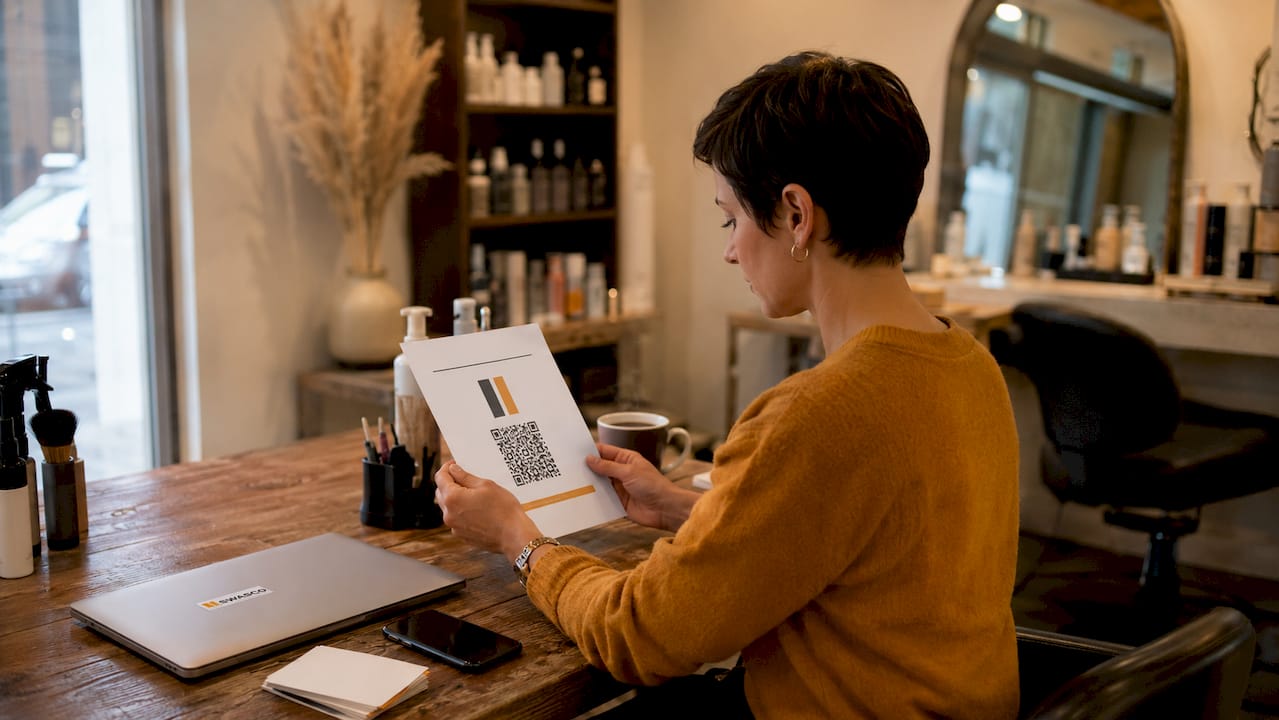
Inside your profile dashboard, find the "Get more reviews" button. Copy the short link it generates. Download the QR code version and print it on receipts, appointment cards, and in-salon signage. The QR code takes clients directly to your review form with one scan.
Passive QR codes placed on checkout materials maintain authenticity while encouraging reviews without pressure. Avoid placing a shared tablet at your reception desk for clients to leave reviews on the spot. Google flags reviews submitted from the same device in the same location as potentially inauthentic.
Pro Tip: Place your QR code on the back of business cards and inside thank-you packaging. Clients who discover it later, when they are relaxed at home, often leave more thoughtful and detailed reviews.
3. Ask at the right moment
The best moment to ask for reviews in beauty settings is immediately after the service, when client satisfaction is at its highest. GlossGenius and Byter both confirm this approach yields the highest review completion rates. Waiting until the next day reduces the emotional connection the client felt in the chair.
Train your team to make the ask feel natural, not scripted. A simple verbal prompt works well: "If you loved your treatment today, we would really appreciate a quick Google review. I can send you the link right now." That sentence does three things. It anchors the positive feeling, makes the action feel small, and removes the effort of finding your profile.
Follow up with a short thank-you message and your review link within 24 hours if the client has not yet reviewed. A two-touch workflow of an immediate ask followed by a 24-hour reminder reduces memory loss and significantly improves completion rates. Keep the reminder warm and brief, not a chase.
- Verbal ask at checkout: Mention the review request naturally while the client is still in a positive state.
- SMS or email within the hour: Send your direct review link with a short personalised message referencing their specific treatment.
- Follow-up reminder at 24 hours: Send one brief thank-you note with the link if no review has appeared.
- Stop after two touches: Do not send a third message. Persistence tips into pressure and damages the relationship.
4. Personalise every review request
Generic review requests get ignored. A message that references the client's name and specific treatment performs far better than a mass broadcast. Training staff to ask for specific feedback about the services enhances the usefulness and credibility of reviews. Guiding clients to comment on their personal experience results in richer reviews that resonate with potential clients.
Write your SMS or email template with a merge field for the client's first name and the treatment they received. For example: "Hi Sarah, thank you for coming in for your balayage today. We would love to hear what you thought. Here is our Google review link: [link]." That message takes 10 seconds to personalise and feels entirely different from a generic "Please leave us a review."
Avoid offering incentives in exchange for reviews. Google prohibits incentivised reviews, classifying them as fake engagement. Incentives include free or discounted services tied to leaving, revising, or removing a review. The penalty is review removal and potential profile suspension.
5. Automate review requests after every appointment
Manual review requests are inconsistent. One busy Saturday and the process breaks down entirely. Automation fixes that by sending review requests and reminders automatically after every appointment, regardless of how hectic the day gets.
Automation tools can integrate with booking systems and messaging channels for timely, personalised requests and reminders. The workflow is simple: appointment marked as complete, system waits a set period (typically 30–60 minutes), then sends the review request via SMS or email. If no review appears within 24 hours, the system sends the follow-up automatically.
| Approach | Effort | Consistency | Best for |
|---|---|---|---|
| Manual verbal ask only | Low setup, high daily effort | Inconsistent | Very small teams |
| Manual SMS after each appointment | Medium effort | Moderate | Solo practitioners |
| Automated post-appointment SMS/email | Low ongoing effort | High | Salons with booking software |
| Integrated AI follow-up via Talk2Aiva | Minimal effort | Very high | Multi-staff beauty businesses |
Platforms that automate appointment reminders can also trigger review requests in the same workflow. This means your clients receive a consistent, branded experience every time, without your team having to remember to send anything.
Pro Tip: Embed your review link inside your booking confirmation and post-appointment receipt emails. Clients who receive it passively, without feeling asked, often leave reviews at a higher rate than those who receive a direct request.
6. Respond to every review, positive and negative
Responding actively and politely to all reviews builds trust and encourages more client engagement with your beauty brand. Shopify's 2026 guide recommends businesses reply quickly, addressing compliments and complaints professionally. A profile with unanswered reviews signals to potential clients that you are not paying attention.
For positive reviews, thank the client by name, mention the specific treatment if they referenced it, and invite them back. Keep it warm and genuine, not a copy-paste template. For negative reviews, respond calmly, acknowledge the concern, and offer a clear resolution step such as a direct contact number or an invitation to return. Never argue publicly.
Best practices for review responses:
- Reply within 48 hours of a review appearing to show attentiveness.
- Use the client's name from the review to personalise your response.
- Avoid defensive language. Acknowledge the experience, even if you disagree with the assessment.
- Highlight your values in your response. A well-handled negative review can actually build more trust than a string of five-star responses.
Monitor your reviews weekly. Patterns in feedback reveal genuine service gaps. If three clients in a month mention long waiting times, that is a scheduling problem worth fixing.
Key takeaways
Consistent Google review generation for beauty businesses depends on a verified profile, well-timed personalised requests, and automated follow-ups that remove the burden from your team.
| Point | Details |
|---|---|
| Verify your profile first | A claimed and verified Google Business Profile is required before any review link works. |
| Ask immediately post-service | Client satisfaction is highest right after the appointment; that is the moment to request a review. |
| Use a two-touch workflow | An immediate ask followed by a 24-hour reminder produces the highest completion rates. |
| Automate for consistency | Manual requests break down under pressure; automation sends every request without fail. |
| Respond to every review | Replying to both positive and negative reviews builds trust and signals professionalism to new clients. |
Why most beauty businesses get this wrong
I have worked with enough service businesses to know that the review generation process almost always falls apart at the same point: the ask. Owners invest time in setting up a beautiful Google Business Profile, generate the review link, print the QR code, and then leave it entirely to their team to remember. That is where the system collapses.
The uncomfortable truth is that staff will not ask consistently unless the process is so simple it requires almost no thought. A verbal ask is great, but it depends on mood, busyness, and confidence. The businesses I see generating reviews reliably are the ones that have removed human memory from the equation entirely. The request goes out automatically. The follow-up goes out automatically. The team's job is simply to deliver a great service.
The second mistake is treating review generation as a one-off campaign rather than a permanent workflow. A burst of reviews in january followed by silence for six months looks suspicious to both Google and potential clients. Steady, consistent volume over time is what builds genuine authority. Follow-up automation in salons makes that consistency achievable without adding to your team's workload.
The third thing I would push back on is the obsession with five-star averages. A business with 200 reviews averaging 4.6 stars is far more credible than one with 12 reviews averaging 5.0. Volume and recency matter more than perfection. Focus on generating genuine feedback at volume, respond to everything, and the rating will take care of itself.
— James Paul
How Talk2Aiva helps beauty businesses automate review generation
Generating reviews consistently requires a system that runs without you thinking about it. Talk2Aiva by SWASCO is built to do exactly that for beauty businesses.
Talk2Aiva integrates with your booking workflow to send personalised review requests automatically after every appointment, via SMS, email, or chat. The follow-up reminder goes out at the right time without your team lifting a finger. Every message carries your brand voice and references the client's specific treatment. You can see the full process at Swasco's automation platform and understand exactly how it fits into your existing setup. If you want to see how the workflow functions step by step, the how it works page walks you through the full process.
FAQ
How do I get a Google review link for my beauty business?
Open Google Business Profile Manager, find the "Get more reviews" option, and copy the direct link it generates. Share it via SMS, email, receipts, or as a QR code.
Can I offer a discount to clients who leave a Google review?
No. Google prohibits incentivised reviews and classifies them as fake engagement. Offering discounts or free services in exchange for reviews risks profile penalties or suspension.
When is the best time to ask a client for a Google review?
Ask immediately after the service while satisfaction is highest, then send a follow-up reminder with your review link within 24 hours if no review has appeared.
Should I respond to negative Google reviews?
Yes. Responding calmly to negative reviews with a clear resolution step demonstrates professionalism and builds trust with potential clients reading your profile.
How many Google reviews does a beauty business need to rank well locally?
Google does not publish a specific threshold, but consistent review volume and recency carry more weight than a fixed number. Regular, genuine reviews over time improve local search visibility more reliably than a one-off burst.