
Automated appointment confirmation, known in the industry as confirmation message automation, is the process of sending pre-built, triggered messages to clients the moment a viewing or booking is created. Service-based businesses that automate viewing confirmation messages reduce no-show rates from 20–30% down to under 5%. That single outcome is worth more than most marketing budgets. The mechanics involve event-driven triggers, SMS or email templates, CRM integration, and compliance-ready opt-out handling. Get these four elements right and your appointment attendance rate will improve dramatically.
What do you need to automate viewing confirmation messages?
The foundation of any confirmation message workflow is a booking system that fires an event the moment a client schedules a viewing. Without that trigger, nothing else works. Your scheduling software, CRM, and messaging platform must connect through APIs or webhooks so data flows instantly between them.
Must-have features for confirmation automation
| Feature | Why it matters |
|---|---|
| Event-driven webhooks | Fire messages within seconds of a booking being created |
| CRM integration | Store confirmation status and client history in one place |
| SMS and email channels | Reach clients on the channel they actually open |
| Opt-out mechanism | Legal requirement under TCPA and UK messaging regulations |
| Two-way reply handling | Confirm attendance only when the client explicitly replies |
Every commercial SMS message must include a clear opt-out option such as "Reply STOP to unsubscribe" to comply with messaging regulations. Skipping this exposes your business to legal risk and damages client trust.
Beyond compliance, your setup needs these capabilities:
- Scheduling software with webhook or API output on new bookings
- CRM to log confirmation status, flag unconfirmed appointments, and trigger follow-up sequences
- Messaging platform supporting SMS, email, and ideally WhatsApp
- Template builder with merge fields for client name, date, time, and location
- Analytics dashboard to track open rates, reply rates, and no-show data
Pro Tip: Before choosing a platform, test its webhook latency. Confirmation messages sent within 10 seconds of booking preserve client commitment far better than those delayed by minutes.
CRM integration for agents is the connective tissue that makes every other part of this workflow function reliably.
How do you set up automated viewing confirmation messages?
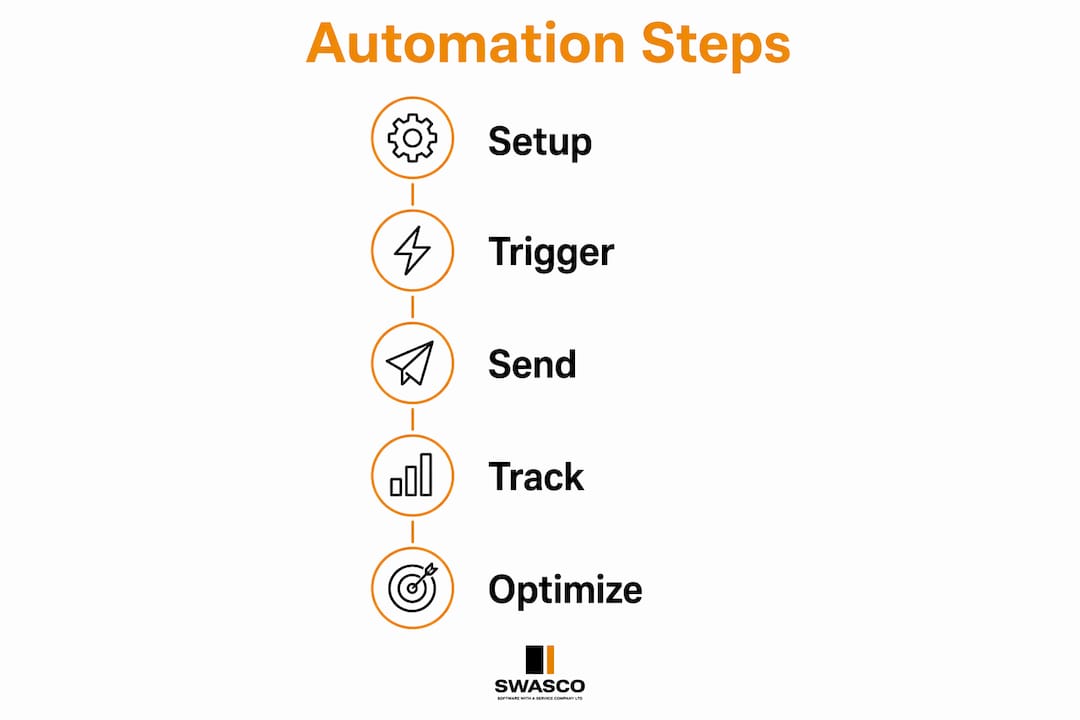
A well-built confirmation workflow follows a clear sequence. Each step builds on the last, and skipping any one of them creates gaps that lead to missed appointments.
-
Define your booking trigger. Set your scheduling system to fire a webhook the moment a viewing is confirmed. This is the event that starts the entire sequence.
-
Send an instant confirmation message. The first message goes out within seconds of the booking. Event-driven triggers using webhooks can send confirmation messages within 10 seconds of a booking, which is the window that locks in client commitment.
-
Build your message template. Include the client's name, the date and time of the viewing, the full address, and a link to a map. Confirmation messages that add value with maps, instructions, or preparation notes reduce last-minute cancellations. A bare "Your appointment is confirmed" message does far less work.
-
Add a reschedule or cancel option. Give clients a simple way to change their booking directly from the message. This reduces silent no-shows and keeps your diary accurate.
-
Schedule a 24-hour reminder. Send a second message the day before the viewing. Keep it short: the time, the address, and a one-tap confirmation reply option.
-
Schedule a 2-hour reminder. A final nudge two hours before the viewing catches clients who are travelling or preparing. SMS open rates exceed 95%, making SMS the right channel for these time-sensitive reminders.
-
Set up an unconfirmed appointment follow-up. If no reply is received within a defined window, the system should send a follow-up and flag the appointment for manual review. Businesses should configure automation to send multiple follow-ups when a confirmation response is not received.
-
Test the full sequence end to end. Create a test booking and verify that every message fires at the right time, with the correct details, and that replies update the CRM status correctly.
Pro Tip: Personalise beyond just the client's first name. Include the specific property address or service type in every message. Clients are far less likely to ignore a message that references exactly what they booked.
For property businesses, the role of SMS in property follow-up extends well beyond confirmations. The same infrastructure supports post-viewing feedback requests and warm lead nurturing.
What are the most common pitfalls in confirmation message automation?
Most automation failures come from one of three sources: incorrect confirmation status tracking, notification fatigue, or delayed message sends. Each is avoidable with the right configuration.
Confirmation workflows should require explicit client replies to mark an appointment as confirmed. Sending a message is not the same as receiving confirmation. Only mark a viewing as confirmed when the client replies with a specific keyword such as YES or CONFIRM. Without this, your diary will show false positives and your team will show up to empty properties.
The pitfalls to watch for:
-
False confirmation status. Systems that mark appointments as confirmed simply because a message was sent are unreliable without explicit replies. Flag every unconfirmed appointment for manual follow-up.
-
Notification fatigue. Sending too many messages too close together trains clients to ignore them. Use intelligent batching and filtering to limit alerts and keep each message feeling relevant.
-
Delayed sends. A confirmation message that arrives 20 minutes after booking feels like an afterthought. End-to-end latency under 10 seconds is the standard to aim for.
-
Missing opt-out language. Every SMS must carry an opt-out instruction. Audit your templates regularly to confirm this is present in every message variant.
-
No fallback for automation failure. Webhooks can fail. Build a monitoring alert that notifies your team if a confirmation message is not sent within 60 seconds of a booking event.
When your automation does fail, the troubleshooting flow is straightforward: check webhook logs first, then CRM sync status, then message delivery reports. Most failures trace back to a broken API connection or a template error rather than a platform outage.
How do you measure and improve your confirmation message automation?
Measuring the performance of your confirmation workflow tells you where clients are dropping off and where your messages are working hardest. Without measurement, you are guessing.
Key metrics to track
Track these four numbers every week:
- Confirmation rate: the percentage of clients who reply to confirm their viewing
- No-show rate: the percentage of booked viewings where the client does not attend
- Response time: how quickly clients reply after receiving the first confirmation message
- Cancellation rate: the percentage of clients who cancel via the reschedule link
Your CRM should log all of these automatically if your integration is set up correctly. Effective automation frameworks integrate tightly with CRM and messaging platforms, enabling prompt alerts and accurate data flow.
Optimisation approaches compared
| Approach | What it improves | How to implement |
|---|---|---|
| A/B testing message copy | Open and reply rates | Test two subject lines or opening sentences over 30 days |
| Adjusting send timing | Confirmation rate | Move the 24-hour reminder to 48 hours and compare results |
| Adding value content | Cancellation rate | Include a map link or preparation checklist in the first message |
| Intent-based follow-up | Sales conversion | Track when prospects view proposals and trigger targeted outreach |
Tracking when prospects view proposals enables intent-based follow-ups that improve engagement response rates. This view intelligence shifts your team from guessing to acting on real signals. Pair it with your confirmation data and you have a complete picture of client intent before the viewing even takes place.
Refine your templates every quarter. Small changes to wording, timing, or the inclusion of a value-add like a preparation checklist can move your confirmation rate by several percentage points. For a deeper look at how this applies to specific service sectors, the guide on appointment confirmation automation covers the mechanics in detail.
Key takeaways
Automated viewing confirmation messages reduce no-show rates from 20–30% to under 5% when built on event-driven triggers, explicit reply confirmation, and value-added message content.
| Point | Details |
|---|---|
| Speed is critical | Send the first confirmation within 10 seconds of booking to lock in client commitment. |
| Require explicit replies | Only mark a viewing confirmed when the client replies with YES or CONFIRM. |
| Add value to every message | Include maps, preparation notes, or reschedule links to reduce cancellations. |
| Comply with opt-out rules | Every SMS must carry a clear opt-out instruction to meet UK and TCPA regulations. |
| Measure and refine | Track confirmation rate, no-show rate, and response time weekly, then A/B test your templates. |
Why most businesses get confirmation automation wrong
I have worked with dozens of service businesses that set up confirmation automation and then wondered why their no-show rate barely moved. The problem is almost never the technology. It is the assumption that sending a message equals receiving a confirmation.
The businesses that see the biggest results treat confirmation automation as a two-way conversation, not a broadcast. They build explicit reply handling, flag unconfirmed appointments for human review, and refine their message content based on actual response data. The ones that struggle set up a single "Your appointment is confirmed" SMS and call it done.
Client expectations have shifted considerably in 2026. People expect messages that feel personal and relevant, not generic notifications. A message that includes the specific property address, the agent's name, and a one-tap reschedule link performs far better than a template that could have been sent by any business in any sector.
The other mistake I see regularly is over-automating. Sending five messages before a single viewing creates fatigue and erodes trust. Two or three well-timed, well-written messages outperform a high-volume sequence every time. Restraint is a feature, not a limitation.
The businesses that invest in getting this right, including the CRM integration, the reply handling, and the message content, recover the cost within weeks through reduced no-shows alone.
— James Paul
How Talk2Aiva handles viewing confirmation for service businesses
Talk2Aiva by SWASCO is built for service businesses that want confirmation automation done properly, without the technical setup burden.

Talk2Aiva handles the full workflow: instant confirmation messages, timed reminders, two-way reply handling, and CRM logging, all configured and supported by the SWASCO team. You do not need to manage webhooks or debug API connections. The system is set up for you, trained on your business, and monitored on an ongoing basis. If you want to see exactly how the platform works, the full automation walkthrough covers every stage from trigger to follow-up. For businesses ready to stop losing bookings to missed confirmations, Talk2Aiva's voice AI handles enquiries and confirmations around the clock.
FAQ
What is automated viewing confirmation?
Automated viewing confirmation is a triggered messaging workflow that sends a client a confirmation message the moment a viewing or appointment is booked. It removes the need for manual follow-up and reduces no-show rates significantly.
How quickly should a confirmation message be sent after booking?
Confirmation messages should be sent within 10 seconds of the booking event. Delays beyond this reduce client commitment and increase the likelihood of a no-show.
What should a viewing confirmation message include?
A confirmation message should include the client's name, the date and time of the viewing, the full address, a map link, and a reschedule or cancel option. Adding preparation notes further reduces last-minute cancellations.
Which channel works best for viewing confirmation messages?
SMS is the most effective channel for time-sensitive confirmations because open rates exceed 95%. Email works well for longer confirmations that include maps, documents, or detailed instructions.
Do automated confirmation messages need an opt-out option?
Yes. Every commercial SMS must include a clear opt-out instruction such as "Reply STOP to unsubscribe" to comply with UK messaging regulations and TCPA requirements. Omitting this creates legal risk.