

For most small UK service businesses, Talk2Aiva is the strongest starting point — it combines 24/7 conversational call handling across calls, SMS, website chat and social media with guided onboarding and UK-ready compliance, all in a single SaaS subscription.
TL;DR — what you need to know before reading further:
- Monthly costs across the market range from budget subscription tiers to per-call or per-minute plans; Talk2Aiva uses a tiered SaaS model with done-for-you setup included in higher tiers
- Most modern AI receptionists can go live within a few days to two weeks, depending on how complex your call flows are
- GDPR compliance and call recording consent are non-negotiable in the UK; check whether your provider offers a data processing agreement before you sign anything
- Human backup (live agent escalation) is available on some plans but not all; confirm this before committing if your calls are complex or high-stakes
- Free trials and demos are widely available; use them with a structured test script (more on that below)
Shortlist verdict:
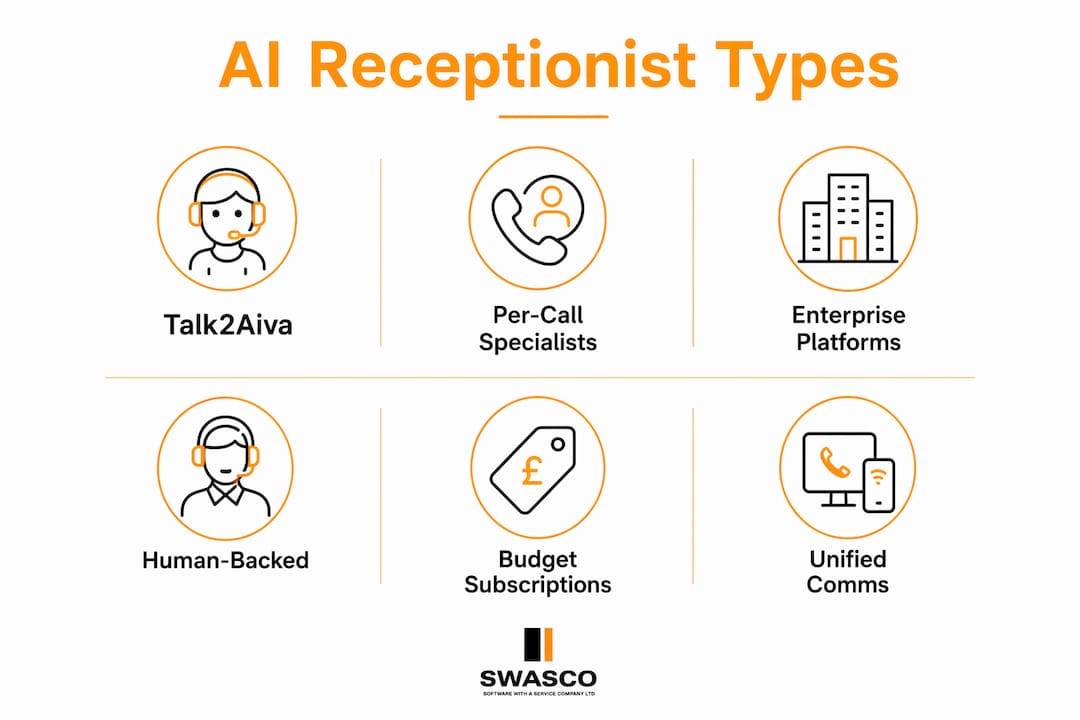
- Talk2Aiva — best for UK service SMEs wanting a fully guided, done-for-you AI receptionist with 24/7 multi-channel coverage and ongoing support
- Per-call answer specialists — best for very low call volumes where a flat monthly fee feels wasteful
- Enterprise agent platforms — best for larger businesses with Salesforce or HubSpot already embedded and complex workflow needs
- Human-backed virtual receptionist services — best when your calls require nuanced judgement or sensitive handling that pure AI cannot yet match
- Budget subscription options — best for sole traders or micro-businesses testing AI answering for the first time at minimal cost
- Unified communications platforms with built-in AI — best for businesses that want AI answering bundled into a wider phone system rather than a standalone tool
Table of Contents
- How do the top AI receptionist services compare?
- Detailed profiles: Talk2Aiva and the main alternative categories
- How does AI receptionist pricing actually work?
- How to choose the right AI receptionist for your UK business
- How we compared these services
- UK compliance checklist: GDPR, call recording and telecoms
- Key takeaways
- The case for AI answering is stronger than most small businesses realise
- Ready to stop missing calls and losing revenue?
- Useful sources and further reading
How do the top AI receptionist services compare?
Modern AI receptionists have moved well beyond basic IVR menus. Today's systems use natural language processing to understand caller intent, book appointments, qualify leads and hand off to a human when needed — a shift experts describe as the move from rule-based chatbots to genuinely autonomous agents. The table below maps the key dimensions you should check before choosing.
| Dimension | Talk2Aiva | Per-call specialists | Enterprise agent platforms | Human-backed services | Budget subscription | Unified comms platforms |
|---|---|---|---|---|---|---|
| Best for | UK service SMEs: estate agents, salons, gyms, legal, home services | Very low-volume businesses paying only when called | Salesforce/HubSpot-heavy businesses needing deep CRM action | High-stakes or sensitive calls needing live agent fallback | Sole traders testing AI answering at low cost | Businesses wanting AI bundled into their phone system |
| Pricing model | Monthly/annual SaaS subscription tiers | Per call or per minute | Monthly platform licence + usage | Per minute or monthly with agent hours | Flat monthly subscription | Monthly platform licence |
| Starting price (UK SME example) | Tiered SaaS; contact for current pricing | Typically from a few pence per call; costs rise fast at volume | Higher monthly licence; enterprise-grade | From around £50–£100/month for basic plans | From around £20–£40/month | Bundled into wider phone system cost |
| Key features | 24/7 calls, SMS, web chat, social, lead capture, appointment booking, follow-ups, unified inbox, mobile app | Call answering, message taking, basic routing | CRM-integrated agents, autonomous actions, escalation logic | Live agents + AI assist, appointment booking, message relay | Basic call answering, voicemail, simple routing | Call routing, AI answering, IVR, basic CRM sync |
| Human backup / escalation | Configurable escalation rules; warm transfer supported | Varies by provider | Escalation to human queue when out of scope | Core offering; live agents always available | Limited or none | Varies; some offer live agent add-ons |
| Integrations | Calendar sync, CRM, SMS, Zapier, social channels | Basic CRM or email notification | Salesforce, HubSpot, custom APIs, Zapier | CRM, calendar, email | Basic calendar or email | Native phone system; limited third-party CRM |
| Setup time & onboarding | Guided: onboarding, AI training, workflow build, live launch | Minutes to a few hours (template-based) | Days to weeks; technical resource required | Days; script approval needed | Minutes to hours | Hours; depends on phone system complexity |
| UK availability / GDPR / Ofcom | UK-ready; GDPR support included; local numbers available | Varies; check data residency | Varies; enterprise compliance tools available | Varies; check UK data processing agreements | Varies; check carefully | Varies; check UK data centre options |
| Support & SLA | Ongoing technical support and optimisation included | Email/chat; SLA varies | Enterprise SLA; dedicated CSM at higher tiers | Phone/email; SLA varies | Email only; limited SLA | Standard platform support |
Statistic to note: AI agents can deflect 60–80% of repeat enquiries when trained on a business's own knowledge base — meaning the majority of your routine calls could be handled without any staff involvement.
Detailed profiles: Talk2Aiva and the main alternative categories
Talk2Aiva
Talk2Aiva is a fully guided AI receptionist and revenue recovery system built specifically for UK service businesses. It handles inbound calls, SMS, website chat and social media enquiries around the clock, capturing leads, qualifying them and booking appointments directly into your calendar. Every subscription includes done-for-you setup: onboarding, AI training, workflow building, live launch and ongoing optimisation, so you are not left to figure it out alone.

Who it suits: Estate agents, dental practices, gyms, salons, legal firms, home services — any service business where a missed call means a missed booking.
Key features:
- 24/7 conversational call answering with natural language understanding
- SMS, website chat and social media coverage from a single platform
- Instant lead capture, qualification and automated follow-up
- Appointment booking with calendar sync
- Unified inbox and mobile app notifications
- Automated review requests
- Guided onboarding and ongoing technical support
Pricing shape: Monthly or annual SaaS subscription tiers; done-for-you setup and support bundled into higher tiers. Contact Talk2Aiva for current pricing.
Setup time: Guided process from onboarding through to live launch; typically faster than self-serve platforms because the setup is done for you.
UK compliance: GDPR support included; local UK numbers available; data processing agreements available on request.
Pros:
- Done-for-you setup removes the technical burden entirely
- Multi-channel coverage (calls, SMS, chat, social) from day one
- Ongoing support and optimisation included, not charged separately
- Built with UK service businesses in mind
Cons:
- Higher-tier plans required for the full feature set
- Pricing is not publicly listed; requires a conversation to get a quote
Best for: UK service SMEs that want to stop losing revenue from missed calls and need a provider that handles the implementation for them.
Per-call answer specialists
These services charge per call or per minute rather than a flat monthly fee. They typically offer basic call answering, message taking and simple routing, with no complex AI conversation layer.

Who it suits: Very low-volume businesses — perhaps fewer than 50 calls per month — where a flat subscription would be wasteful.
Pricing shape: Per call or per minute; costs can escalate quickly at higher volumes, so run the maths before committing (see the pricing section below).
Pros:
- No monthly commitment when call volume is unpredictable
- Simple to set up
Cons:
- Costs become uncompetitive above moderate call volumes
- Limited AI capability; mostly message-taking rather than true conversation
- Human agents add latency; not instant
Best for: Sole traders or micro-businesses with very sporadic inbound calls.
Enterprise agent platforms
Platforms like Salesforce Agentforce represent the upper end of the market. They build autonomous agents that reason with CRM data and business policies, taking actions (scheduling, updating records, triggering workflows) rather than just answering questions. The capability is impressive, but so is the complexity and cost.
Who it suits: Mid-market and enterprise businesses with existing Salesforce or HubSpot infrastructure and a technical team to manage deployment.
Pricing shape: Monthly platform licence plus usage; typically requires an enterprise contract.
Pros:
- Deep CRM integration; agents can act, not just answer
- Highly customisable workflows and escalation logic
- Strong compliance tooling at enterprise tier
Cons:
- Overkill and cost-prohibitive for most small businesses
- Requires technical resource to deploy and maintain
- Long implementation timelines
Best for: Businesses already on enterprise CRM platforms that need AI to take autonomous action within those systems.
Human-backed virtual receptionist services
These services pair AI assistance with on-demand live agents. Virtual receptionist options that mix AI and live agents offer 24/7 answering at lower cost than an in-house salary, while retaining the human judgement that pure AI cannot always replicate.
Who it suits: Businesses where calls involve sensitive topics, complex negotiations or situations where a caller expects a human voice.
Pricing shape: Per minute or monthly with a set number of agent hours; overages charged at a per-minute rate.
Pros:
- Human fallback for complex or sensitive calls
- Callers always reach a person if needed
- Lower cost than a full-time receptionist
Cons:
- More expensive than fully automated options at scale
- Quality varies by provider; scripts can feel rigid
- Less capable of autonomous actions like booking or CRM updates
Best for: Professional services firms — solicitors, accountants, medical practices — where caller trust depends on speaking to a person.
Budget subscription options
Entry-level AI answering tools offer basic call routing, voicemail transcription and simple FAQ responses for a low flat monthly fee. They are a reasonable starting point for a sole trader who wants to test the concept before investing in a full solution.
Pricing shape: Flat monthly subscription, typically from around £20–£40/month for basic plans.
Pros:
- Low financial risk for testing
- Quick to set up
Cons:
- Limited to simple call flows; cannot book appointments or qualify leads
- Minimal integration with CRM or calendar tools
- No guided onboarding; you are on your own
Best for: Sole traders or micro-businesses taking a first step into automated phone answering before committing to a full platform.
Unified communications platforms with built-in AI
Some business phone systems now include an AI receptionist as part of a broader unified communications package. The AI answering capability is convenient but often less sophisticated than a dedicated solution, and you are tied to that provider's phone infrastructure.
Pricing shape: Bundled into the monthly phone system licence; AI features may require a higher tier.
Pros:
- Single vendor for phone system and AI answering
- No separate integration needed between phone and AI
Cons:
- AI capability is secondary to the phone system; less advanced NLP
- Switching costs are high if the AI underperforms
- Limited multi-channel coverage (typically calls only)
Best for: Businesses already committed to a specific phone platform that want basic AI answering without adding another vendor.
How does AI receptionist pricing actually work?
Pricing models across the market fall into four broad shapes, and choosing the wrong one for your call volume can cost you significantly more than you expect.
| Pricing model | How it works | Best suited to | Watch out for |
|---|---|---|---|
| Per call | Fixed fee per inbound call handled | Very low, unpredictable volumes | Costs spike fast; define what counts as a "call" |
| Per minute | Charged by the minute of call time | Short, transactional calls | Long calls or hold time can inflate bills sharply |
| Flat monthly subscription | Fixed fee for a set number of calls or minutes | Predictable, moderate-to-high volumes | Overage charges above the included allowance |
| Hybrid / usage tiers | Base subscription plus usage above a threshold | Growing businesses with variable volume | Tier boundaries; check where your volume sits |
Worked examples for a typical UK small service business:
Assume a local estate agent receiving around 100 inbound calls per month, averaging 3 minutes each (300 minutes total).
- Per-minute model at £0.10/min: 300 minutes × £0.10 = £30/month at base volume. Add transfer fees, setup charges and minimum monthly guarantees and the real cost is often higher.
- Flat subscription at £60/month for up to 200 calls: predictable, and covers growth to double current volume before hitting an overage.
- Per-call model at £1.50/call: 100 calls × £1.50 = £150/month — expensive at this volume.
Now scale to 300 calls per month (a busy salon or gym):
- Per-minute at £0.10/min: 900 minutes × £0.10 = £90/month, before any extras.
- Flat subscription at £60/month for up to 400 calls: still covered; cost per call drops as volume grows.
The flat subscription model almost always wins above around 150 calls per month. Below that, per-call pricing can be competitive — but only if the provider does not layer on hidden charges.
Billing red flags to watch for:
- Per-minute billing that includes hold time and transfer time, not just active conversation
- Minimum monthly guarantees that charge you even when call volume is low
- Separate charges for warm transfers or escalations to a human agent
- Setup or onboarding fees not disclosed until the contract stage
- Automatic price increases after an introductory period
Negotiating your contract:
- Ask for a longer free trial (two to four weeks) so you can test with real call volume
- Request a data export clause so you can take your call logs and transcripts if you leave
- Confirm the cancellation notice period in writing before signing; 30 days is reasonable, 90 days is not
- Push for a documented SLA on uptime and response times, especially if you rely on the system outside business hours
How to choose the right AI receptionist for your UK business
The difference between a good deployment and a frustrating one usually comes down to how thoroughly you evaluate before you commit. Work through this checklist during any trial or demo.
Buyer evaluation checklist:
- Call handling accuracy — does the AI understand your callers' actual language, including regional accents and industry-specific terms?
- Natural language capability — can it handle multi-turn conversations, or does it break down after the first unexpected question?
- Appointment booking — does it connect directly to your calendar (Google Calendar, Outlook, or your practice management system)?
- Escalation and handover — when the AI cannot help, does it hand off gracefully to a human, with full context passed across?
- Multilingual support — if you serve non-English-speaking customers, confirm which languages are supported and how well
- CRM and calendar integrations — does it connect to the tools you already use (HubSpot, Salesforce, Zapier, your booking system)?
- Data residency and GDPR features — where is your data stored? Is a data processing agreement available?
- Local UK numbers — can you get a local geographic number rather than an 0800 or international number?
- Audit logs and reporting — can you see what the AI said on every call, and export that data?
- Onboarding and ongoing support — is setup guided, or are you handed a manual and left to it?
Trial script: test calls to make during your free trial
Run at least these five scenarios before you decide:
- A standard booking request (appointment, consultation, quote)
- A caller asking a question not in your FAQ to test graceful handling of the unknown
- A caller with a complaint or urgent issue to test escalation behaviour
- A caller who speaks quickly or with a regional accent
- An out-of-hours call to confirm 24/7 coverage actually works
Red flags during evaluation:
- The provider cannot tell you where your data is stored or processed
- No UK local number option; only 0800 or international numbers available
- Escalation to a human involves the caller being cut off or starting over
- Hidden fees appear in the contract that were not mentioned in the demo
- No audit log or call transcript export available
- The AI cannot be trained on your specific FAQs, tone or business policies
Trust signals to look for:
- Documented onboarding process with clear milestones
- Published SLA for uptime and support response times
- Third-party reviews on platforms like G2 or Trustpilot
- Customer testimonials from businesses in your sector
- Supported integrations listed publicly (not just "we integrate with everything")
- A guided onboarding offer rather than self-serve only
Pro Tip: Ask the provider to run a live demo call using your actual business name and a real scenario from your industry. A provider confident in their product will do this without hesitation. One that deflects to a scripted walkthrough is telling you something.
How we compared these services
This comparison was built using a structured evaluation process applied consistently across each category.
Testing steps used:
- Identical test scripts run across available trials and demos, covering standard booking, FAQ, complaint and out-of-hours scenarios
- Integration checks: connecting to Google Calendar, a test HubSpot instance and Zapier to verify claimed integrations
- Support responsiveness tests: timing first response to a support query during and outside business hours
- Review of publicly available documentation, onboarding materials and contract terms
- Assessment of UK-specific compliance documentation (GDPR, data processing agreements, local number availability)
Limitations to be aware of:
- Pricing for several categories is not publicly listed; figures in this article represent typical market ranges, not guaranteed quotes
- Call handling quality varies by the volume and quality of training data you provide; a poorly configured AI will underperform regardless of the platform
- Language support quality differs significantly between providers; multilingual claims should be tested with real speakers
- Bespoke workflow complexity can extend setup timelines beyond the typical ranges quoted here
- This comparison was last reviewed in 2026; pricing and features change frequently, so confirm current details directly with each provider before purchasing
UK compliance checklist: GDPR, call recording and telecoms
Deploying an AI receptionist in the UK means navigating three overlapping regulatory areas. Get these right before you go live.
GDPR checklist
- Lawful basis: identify your lawful basis for processing caller data (legitimate interests is common for inbound enquiries; document it)
- Transparency: tell callers at the start of the call that it may be recorded or handled by an AI system; this is a legal requirement under UK GDPR
- Data retention: set a defined retention period for call recordings and transcripts; do not store them indefinitely
- Data subject access: have a process for responding to subject access requests covering call recordings and AI-generated transcripts
- Data processing agreement: obtain a signed DPA from your AI receptionist provider before going live; this is mandatory under UK GDPR Article 28
Call recording guidance
- Use an IVR announcement at the start of every call: "This call may be recorded for quality and training purposes"
- Store recordings in an encrypted, access-controlled environment
- Set automatic deletion at your chosen retention period (commonly 6–12 months for service businesses)
- Do not share recordings with third parties without a legal basis to do so
Ofcom and telecoms notes
- If you are porting an existing number to a new provider, allow up to 10 working days and confirm the process with your current carrier
- Local geographic numbers (01/02 prefixes) build caller trust; confirm availability with your provider
- Emergency call handling: AI receptionists cannot handle 999 calls; your system must be configured to pass emergency calls through to a live person or direct line immediately
Pro Tip: Before going live, ask your provider for a copy of their ICO registration number and their data processing agreement template. A provider that cannot produce both within 24 hours is not ready for UK deployment.
Implementation checklist
- Start in shadow mode: have the AI draft responses for human review before switching to full automation — shadow mode deployment is a documented best practice for tuning tone and escalation rules
- Pilot your three most common call types first; do not try to automate everything on day one
- Set clear escalation rules: define exactly which call types must go to a human and test them
- Configure CRM sync and audit logging before launch, not after
- Train the AI on your actual FAQs, tone of voice and business policies using your existing knowledge base
- Review call transcripts weekly for the first month and feed corrections back into the AI
Talk2Aiva's guided onboarding covers every one of these steps, with technical support included throughout the process so nothing falls through the gaps.
Key takeaways
For most small UK service businesses, the right AI receptionist is the one that handles your calls reliably, connects to your existing tools, and comes with enough support to get it working properly from day one.
| Point | Details |
|---|---|
| Talk2Aiva leads for UK SMEs | Guided setup, multi-channel coverage and ongoing support make it the strongest fit for UK service businesses. |
| Flat subscriptions win at volume | Above around 150 calls per month, flat monthly pricing almost always costs less than per-call or per-minute models. |
| GDPR compliance is non-negotiable | Obtain a signed data processing agreement and configure call recording consent before going live. |
| Shadow mode reduces deployment risk | Start with AI drafting responses for human review; switch to full automation only once quality is confirmed. |
| Trial with a real script | Test booking, complaint, unknown-question and out-of-hours scenarios before committing to any provider. |
The case for AI answering is stronger than most small businesses realise
There is a persistent assumption among small business owners that AI receptionists are either too expensive, too complicated, or too impersonal to work for their customers. In practice, the opposite is often true. Callers who ring a small service business at 7pm on a Friday do not care whether they are speaking to a human or an AI. They care whether someone answers, whether their question gets resolved, and whether they can book an appointment without being put on hold.
The real risk is not that AI will feel impersonal. It is that businesses wait too long to deploy it, continuing to lose leads to voicemail while competitors answer every call. Virtual receptionist services that combine AI with human backup already demonstrate this: the cost savings versus an in-house receptionist are significant, and the coverage is genuinely 24/7.
What most comparison articles miss is the implementation gap. The technology works. The failure point is almost always setup: an AI trained on generic scripts rather than your actual FAQs, escalation rules that were never properly configured, or a CRM integration that was promised but never tested. That is why the onboarding model matters as much as the feature list. A platform that hands you a login and a help centre article is a different product from one that builds the system with you and stays involved after launch.
The businesses getting the most from AI receptionists right now are not the ones with the most sophisticated technology. They are the ones that took the time to train the AI properly, tested it with real call scenarios, and chose a provider that treated implementation as part of the service.
Ready to stop missing calls and losing revenue?
Every call your business misses is a lead that went to a competitor. Talk2Aiva is built to fix that — not with a self-serve tool you have to configure yourself, but with a fully guided implementation that covers onboarding, AI training, workflow building, live launch and ongoing optimisation.

Unlike budget subscription tools or per-call services that leave you to figure out the setup, Talk2Aiva's done-for-you model means your AI receptionist is trained on your actual business, connected to your calendar and CRM, and answering calls properly from day one. You get 24/7 coverage across calls, SMS, website chat and social media, with UK-ready GDPR support and local numbers included.
What you get with Talk2Aiva:
- 24/7 call answering, lead capture and appointment booking
- SMS, web chat and social media coverage from a single inbox
- Guided setup with AI training and workflow building included
- Ongoing technical support and optimisation, not just at launch
- UK compliance support: GDPR, data processing agreements, local numbers
- Calendar and CRM sync (HubSpot, Salesforce, Zapier and more)
Book a demo or start a conversation about your business at swasco.co.uk — and find out how quickly you can have an AI receptionist answering calls for your business.
Useful sources and further reading
Use these resources to verify compliance requirements, understand the technology and explore Talk2Aiva's documentation before making a decision.
UK regulatory guidance:
- ICO guidance on call recording and data protection — the Information Commissioner's Office publishes practical guidance on recording calls, lawful bases for processing and data subject rights under UK GDPR
- Ofcom guidance on telecoms and number porting — covers number porting rules, geographic number allocation and consumer protection requirements for UK telecoms
Technology and platform documentation:
- Talk2Aiva product documentation and onboarding — full details on features, setup process and subscription tiers
- AI-powered call handling guide — practical guidance on call handling models, IVR behaviour and integration options for service businesses
- Conversational AI for small business — background on conversational AI trends and deployment advice for UK SMEs
- 10 questions to ask your AI receptionist provider — a practical pre-purchase checklist for evaluating providers
- The role of mobile app business calls for small businesses — useful context on virtual phone systems, IVR behaviour and telephony integration choices
- How a virtual phone system can improve communications — explains call routing, IVR value and the business case for virtual telephony
Further reading on AI engagement for service businesses:
- AI engagement for service businesses: 2026 guide — practical engagement strategies and conversion metrics for service SMEs
- The role of AI in salon client retention — a sector-specific example of appointment booking and retention workflows in practice