
The AI onboarding process for Talk2Aiva gets a service business from missed calls to booked appointments in a phased rollout of 2–6 weeks, depending on scope. Your immediate next step is a one-hour discovery session to define goals, map your call volumes, and confirm integrations. Book a Talk2Aiva strategy call to start that session this week.
Pro Tip: Start with after-hours coverage first. It delivers immediate value, carries the lowest operational risk, and builds team confidence before you extend to full-day routing.
Key takeaways
| Point | Details |
|---|---|
| Phased rollout reduces risk | Start with after-hours coverage, then extend to full routing once week-one transcripts confirm clean containment. |
| Knowledge base comes first | Document your top 20 caller Q&As before any configuration begins — this drives more containment value than any other single step. |
| Two-week tuning window is non-negotiable | Block 30 minutes daily for the first two weeks to review transcripts and iterate prompts before problems compound. |
| ROI is straightforward to calculate | Multiply recovered leads by average ticket value, then subtract onboarding and subscription costs for a clear monthly figure. |
| Talk2Aiva provides end-to-end support | From discovery to post-launch optimisation, a dedicated onboarding team handles integrations, AI training, and ongoing support. |
Table of Contents
- What does the AI onboarding process involve, phase by phase?
- Step 1: define your goals, KPIs and scope in discovery
- Step 2: what systems do you need to audit and connect?
- Step 3: how do you train an AI receptionist to sound like your business?
- Step 4: how do automation and call flows actually work?
- Step 5: how do you set up calendar booking without double bookings?
- Step 6: what does a safe go-live look like?
- Step 7: how do you bring your staff along without resistance?
- Step 8: what does post-launch support and optimisation look like?
- What does the full project cost in time and effort?
- How do you measure success and calculate ROI?
- What are the most common pitfalls and compliance requirements?
- Pre-launch checklist: what must be done before go-live?
- Why Talk2Aiva is built for this kind of rollout
- What the evidence says about getting this right
- Talk2Aiva handles the hard parts for you
- Sources
What does the AI onboarding process involve, phase by phase?
A well-run AI receptionist setup follows eight phases. Each has a clear owner and a defined output. Vendor guidance confirms that many implementations go live in 1–2 days with a phased rollout, though a thorough build for a multi-service business typically takes 2–6 weeks.
| Phase | Description | Typical duration |
|---|---|---|
| 1. Discovery | Goals, KPIs, call volumes, scope decisions | 1–3 days |
| 2. Systems audit & integrations | Phone, calendar, CRM, SMS access and configuration | 2–7 days |
| 3. AI training & conversation design | Knowledge base, scripts, persona, escalation rules | 1–3 days |
| 4. Workflow & automation mapping | Call flows, CRM hooks, confirmation triggers | 1–2 days |
| 5. Calendar & booking setup | Integration, rules, confirmation templates | 1–2 days |
| 6. Testing & pilot | Test calls, adversarial cases, partial routing | 1–2 weeks |
| 7. Staff training & handover | Role-based sessions, runbook, escalation list | 1–3 days |
| 8. Post-launch optimisation | Daily reviews, prompt versioning, monthly reporting | Ongoing |
Small, single-location businesses typically complete phases 1–7 in 2–3 weeks. Complex setups with CRM mapping, multiple locations, or regulated data run 6–12 weeks.
Step 1: define your goals, KPIs and scope in discovery
Discovery prevents rework. CallTreo recommends a 60–90 minute internal pre-flight session to collect call samples, staff knowledge, and escalation rules before any vendor configuration begins.
Gather this before your discovery session:
- Call volumes: total inbound calls per week, broken down by time of day and day of week
- Missed-call windows: when are calls most likely to go unanswered?
- Top 10–20 caller questions: pull from call logs, reception notes, or staff memory
- Average ticket value: what is a booked appointment worth to your business?
- Peak hours and seasonal patterns: when does demand spike?
Decisions that directly affect scope include whether appointment booking is in-scope, whether you need multilingual support, which CRM the AI must write to, and whether your industry carries regulatory constraints around call recording. Record your baseline KPIs now: containment rate target, booking conversion goal, and current average response time. These become your success benchmarks at week four.
Step 2: what systems do you need to audit and connect?
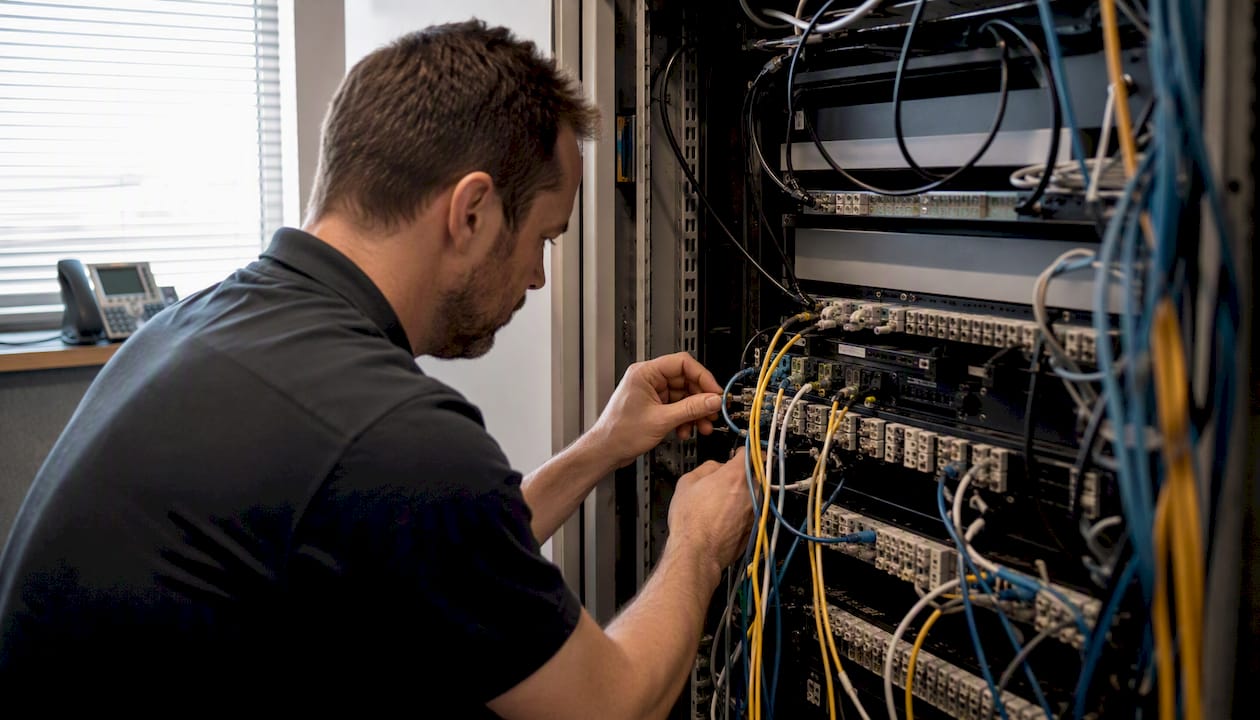
The systems audit confirms that every integration works before the AI goes live. Surprises here are the most common source of launch delays.
| System | What to check | Who acts |
|---|---|---|
| Phone / number provisioning | Forwarding rules, SIP compatibility, porting timeline (5–10 business days) | Client provides access; vendor configures |
| Calendar (Google / Outlook) | API access, timezone, business hours, slot-hold behaviour | Client grants OAuth; vendor maps rules |
| CRM | API key or webhook, field mapping, duplicate-contact logic | Client provides credentials; vendor builds integration |
| SMS gateway | Sender ID, opt-out compliance, message templates | Vendor provisions; client approves templates |
| Website chat | Embed code, routing rules, fallback behaviour | Client adds snippet; vendor configures widget |
On number provisioning: start with a new test number or call forwarding before porting your existing number. Porting carries a transient risk window and typically takes 5–10 business days. Run your full pilot on the test number first, then port once you are confident in the setup.
For regulated industries, verify that call recordings are encrypted at rest, that retention periods are defined, and that a data-processing agreement is in place with your vendor.
Step 3: how do you train an AI receptionist to sound like your business?
Training a conversational AI receptionist means building a knowledge base, writing a system prompt, and designing booking flows. Document the top 10–20 caller questions before you touch the tool — this single step drives more containment value than any other.
Your knowledge base should cover:
- Answers to your top 20 FAQs, written in the tone your customers expect
- Services offered, pricing ranges, and eligibility criteria
- Booking rules: what can be auto-booked, what requires a callback
- Escalation phrases the AI must never handle (see Step 4)
- Out-of-scope topics and how to redirect them gracefully
The system prompt defines the AI's persona: its name, tone, what it can and cannot do, and what triggers an immediate human transfer. Keep it specific. "Be helpful and professional" is not a persona. "You are Aiva, the receptionist for [Business Name]. You book appointments for services A, B and C. You do not discuss pricing for service D. You always confirm the caller's name and phone number before ending a call" — that is a persona.
Pro Tip: Record two or three calls handled by your best human receptionist and use the transcripts as tone samples when writing the system prompt. Prompts built from real call language outperform generic templates.
Step 4: how do automation and call flows actually work?
Every call follows a canonical path: greeting → intent detection → qualification → action (booking, FAQ answer, or transfer) → closing. Automation hooks fire at specific points along that path.
Map your escalation triggers before you configure anything else. Phrases that must always bypass the AI include: "emergency," "speak to the manager," "billing dispute," and any safeguarding or medical urgency language relevant to your sector. These go into a hard-coded transfer list, not a soft intent-detection rule.
Automation hooks to configure: create or update a CRM contact on call start, add an appointment record on booking confirmation, send an SMS confirmation within 60 seconds of booking, and tag the call intent for follow-up sequences. Each hook needs a fallback if the downstream system is unavailable.
Step 5: how do you set up calendar booking without double bookings?
Use direct Google Calendar or Outlook integration with real-time slot holds. The platform should place a temporary hold on a slot during the call and confirm before releasing it. Check how the platform handles two concurrent callers attempting the same slot — race-condition behaviour varies significantly between tools.
Calendar setup checklist:
- Connect a dedicated test calendar account before linking your live diary
- Define which services can be auto-booked and which require manual approval
- Set lead times (minimum notice before a booking is accepted) and buffer times between appointments
- Write SMS and email confirmation templates, including cancellation and rescheduling instructions
- Test the full booking flow end-to-end with a real slot, then cancel and rebook to confirm the slot releases correctly
Step 6: what does a safe go-live look like?
A four-week build playbook is realistic for a single-location business, with adversarial testing in week three and a formal cutover and rollback plan in week four.
| Test case | What to verify |
|---|---|
| New lead enquiry | Correct qualification fields captured, CRM record created |
| Existing customer lookup | Correct identification, no data leakage |
| Appointment booking | Slot held, confirmed, SMS sent within 60 seconds |
| FAQ handling | Accurate answer, no hallucination |
| Off-script caller | Graceful redirect or warm transfer |
| Emergency phrase | Immediate transfer, no delay |
| Adversarial caller (angry, overlapping speech) | No loop, clean escalation |
| Multilingual caller (if in scope) | Correct language detection and response |

Run at least 10 real-feeling test calls across each major branch before go-live. Adversarial testing — angry callers, ambiguous dates, strong accents, overlapping speech — surfaces failure patterns that polite test calls miss. Go live with after-hours routing first, then extend to full coverage once the first week of transcripts shows clean containment.
Step 7: how do you bring your staff along without resistance?
Most failed deployments are launch project failures, not AI capability failures. Poor scripts, skipped testing, and staff who do not know how to override the system account for the majority of post-launch problems.
Run role-based training sessions before go-live:
- Reception staff: 30-minute session covering how to monitor the live dashboard, when and how to take over a call, and how to flag a transcript for review
- Management: 20-minute session on the reporting dashboard, KPI targets, and how to request a prompt change
- On-call staff: 15-minute session on escalation phrases, emergency transfer protocol, and the rollback procedure
Hand over four documents at launch: the knowledge base, the escalation trigger list, a prompt changelog, and a one-page runbook covering daily checks and how to raise a support ticket.
Pro Tip: Block 30 minutes each morning for the first two weeks to review overnight transcripts with your onboarding team. Prompt fixes made in week one prevent the same errors repeating across hundreds of calls in month two.
Step 8: what does post-launch support and optimisation look like?
Review every call transcript daily for the first two weeks, then move to weekly reviews of flagged calls. Version your prompts and keep a changelog so you can measure the impact of each edit.
| Period | Activity | Frequency |
|---|---|---|
| Weeks 1–2 | Full transcript review, prompt tuning, escalation trigger refinement | Daily (30 min) |
| Weeks 3–4 | Flagged-call review, booking confirmation audit, KPI check | Every 2–3 days |
| Month 2 onwards | KPI reporting, prompt version review, knowledge base updates | Weekly then monthly |
Support escalation: your onboarding team holds the first line. Raise bugs via your agreed support channel with a transcript reference and expected vs. actual behaviour. SLA expectations and contact points are confirmed at handover.
What does the full project cost in time and effort?
| Scope | Timeline | Client hours | Vendor days |
|---|---|---|---|
| Small (1 location, basic booking) | 2–3 weeks | 4–8 hours | 3–5 days |
| Medium (CRM sync, multi-service) | 4–6 weeks | 10 hours | 7–10 days |
| Complex (multi-location, regulated data) | 6–12 weeks | 20–30 hours | 15–20 days |
Factors that push a project into the complex tier: multilingual support, regulated data handling, complex CRM field mapping, multiple locations with separate calendars, or payment integration. Identify these in discovery, not during the audit.
How do you measure success and calculate ROI?
Track these KPIs from day one:
- Containment rate: percentage of calls handled without a human transfer. Measure only in-scope tasks — FAQ answers, bookings, basic lookups — so you do not overclaim by counting trivial queries
- Booking conversion: booked appointments as a percentage of calls where booking was the intent
- Missed-call reduction: calls answered by the AI during previously unattended windows
- Leads per 100 calls: total qualified leads captured per 100 inbound calls
- Average handling time: average call duration for AI-handled calls
- Customer-initiated escalations: callers who explicitly request a human
A simple ROI calculation: multiply recovered leads by your average ticket value, then subtract your onboarding and monthly subscription costs. If your AI captures 20 previously missed leads per month at an average ticket value of £150, that is £3,000 in recovered revenue before a single upsell. This recovered-leads model is the standard approach recommended for service-business decision-makers.
In week one, focus on containment rate and escalation volume. By week two, add booking conversion. By month one, you have enough data to calculate a reliable ROI and identify the top three prompt improvements.
What are the most common pitfalls and compliance requirements?
| Risk | Mitigation |
|---|---|
| Launching without a knowledge base | Document top 20 Q&As before any configuration begins |
| Untested calendar integration | Run end-to-end booking test including cancellation before go-live |
| No escalation trigger list | Define hard-coded bypass phrases in discovery |
| Skipping adversarial testing | Run 20+ adversarial calls in week three of the build |
| GDPR: no call recording consent | Add a consent prompt at call start; confirm lawful basis with your DPO |
| GDPR: undefined retention period | Set a retention policy (typically 30–90 days) and configure auto-deletion |
| Regulated data (health, legal, financial) | Verify encryption at rest, role-based access, and a data-processing agreement |
GDPR requires a lawful basis for call recording. For most service businesses, legitimate interest or contractual necessity applies, but you must inform callers at the start of the call. Retain recordings only as long as operationally necessary, store them encrypted, and restrict access by role. For regulated sectors, verify your vendor's compliance posture and review the data-processing agreement before go-live. This article provides general guidance, not legal advice — confirm your specific obligations with a qualified professional or your data protection officer.
Pre-launch checklist: what must be done before go-live?
- Top 20 Q&As documented and loaded into the knowledge base
- Vendor account configured: timezone, business hours, billing confirmed
- Number provisioning strategy chosen (test number or forwarding before porting)
- Calendar integration tested end-to-end, including cancellation and rebook
- 10+ real-feeling test calls passed across all major branches
- Adversarial test calls completed (angry caller, emergency phrase, off-script)
- Escalation trigger list finalised and hard-coded
- SMS and email confirmation templates approved
- Rollback plan tested: know how to revert to human answering within five minutes
- Two-week tuning calendar blocked in team diaries
- Staff training sessions completed and runbook distributed
- Avoid launching immediately before a long weekend or during a porting window
Why Talk2Aiva is built for this kind of rollout
Talk2Aiva by SWASCO is an end-to-end AI receptionist and revenue recovery system. It covers 24/7 call answering, SMS, website chat, and social media from a single platform, with instant lead capture, calendar sync, and automated follow-ups built in. The Talk2Aiva onboarding and setup process is fully guided — a dedicated onboarding team handles discovery, integrations, AI training, and workflow building, so you are not configuring this alone.
Proof points the Talk2Aiva team can supply include measurable missed-call reduction, revenue recovery figures, and SLA-backed ongoing support. Case study evidence and client results are available on request from the SWASCO team. Author: James Paul, AI integration specialist.
What the evidence says about getting this right
The difference between a successful AI receptionist launch and a failed one is almost never the AI model. CallTreo's analysis of failed deployments points consistently to project management failures: bad scripts, skipped testing, and teams that were not prepared to override or escalate. The technology is mature. The process is what separates businesses that recover revenue from those that spend money and revert to voicemail.
Three things I see make the biggest difference in practice. Starting after-hours is not just a risk-reduction tactic — it is the fastest way to build internal confidence, because the team can review transcripts the next morning without the pressure of live calls. Using real agent recordings to write the system prompt produces a voice that callers recognise as belonging to the business, not a generic bot. And blocking the two-week tuning window in advance, before launch, is the single most reliable predictor of a clean month-two performance. Teams that skip it almost always find themselves firefighting at month three instead.
The quick wins are often small: changing a greeting line from a question to a statement, tightening an escalation trigger from a broad phrase to a specific one, or adding a closing confirmation line that captures the caller's number before the call ends. Each of these takes five minutes to implement and can shift containment rate by several percentage points.
Talk2Aiva handles the hard parts for you
Stop losing revenue to missed calls and slow responses. Talk2Aiva's done-for-you onboarding means your dedicated setup team handles every phase — from discovery and integrations to AI training, workflow building, and live launch — while you focus on running your business.

Before your discovery call, prepare three things: your recent call volume figures (weekly inbound calls and missed-call windows), your top 10 caller questions, and confirmation of calendar and CRM access. That is all you need to walk into a productive first session.
Book a strategy call with Talk2Aiva and get your AI receptionist live in weeks, not months, with ongoing optimisation and support included from day one.
Sources
- AI receptionist setup guide — end-to-end launch playbook (2026) · CallTreo
- AI Phone Receptionists: Save $10K+ Monthly | Cogniq AI
- How to Build an AI Receptionist: A Complete Guide (2026)